IPTV GitHub projects are among the most searched free TV resources on the internet, and one repository dominates them all: iptv-org/iptv. It collects publicly available TV channels from around the world into free M3U playlists that you can open in VLC, Kodi or almost any IPTV player. This guide explains what IPTV GitHub is, how the iptv-org playlists work, the exact playlist links, how to use them on your devices, where to get a free TV guide (EPG), and what to know about legality and reliability before you rely on them.
Key takeaways (TL;DR)
- “IPTV GitHub” usually means iptv-org/iptv, a free collection of publicly available TV channel links with more than 139,000 stars on GitHub.
- The main playlist is https://iptv-org.github.io/iptv/index.m3u, with extra playlists by category, language and country.
- Paste the link into VLC, Kodi or another IPTV player to watch. A free TV guide is available through the iptv-org/epg tools.
- Streams come from public sources, so many are geo-blocked or go offline, and the repository stores no video itself.
What Is IPTV GitHub?
GitHub is a platform where developers host and share code and files. “IPTV GitHub” refers to the open-source IPTV projects hosted there, mainly playlists of free TV channels and the tools around them. If you’re new to the technology behind these streams, start with our guide to what IPTV is and how it works.
The best-known IPTV GitHub repository, often searched simply as “iptv org” or “iptv.org”, is iptv-org/iptv, which describes itself as a “collection of publicly available IPTV (Internet Protocol television) channels from all over the world.” It has more than 139,000 stars and 8,100 forks, which makes it one of the most popular entertainment projects on GitHub. The same team also runs iptv-org.github.io, a searchable, user-editable database of TV channels.
What iptv-org is (and isn’t)
- It is: a community-maintained list of links to TV streams that broadcasters already make publicly available, such as free news channels, public broadcasters and local stations.
- It isn’t: a streaming service or a host. The project states that “no video files are stored in this repository,” and that it “simply contains user-submitted links to publicly available video stream URLs.”
- It isn’t a replacement for pay TV: premium sports and subscription channels aren’t meant to be included.
IPTV GitHub Link: iptv-org Playlist URLs
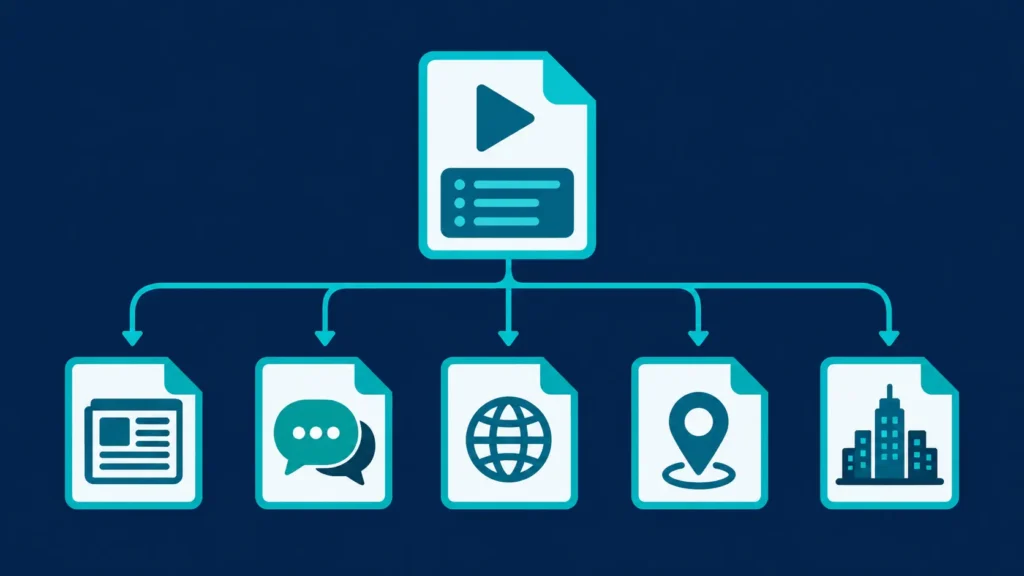
The main GitHub IPTV playlist from the iptv-org GitHub project combines every channel in one file:
https://iptv-org.github.io/iptv/index.m3u
Because a single list of thousands of channels is hard to browse, iptv-org also publishes grouped playlists, documented in its PLAYLISTS.md file:
| Grouped by | Playlist link | Example |
|---|---|---|
| Category | https://iptv-org.github.io/iptv/index.category.m3u | https://iptv-org.github.io/iptv/categories/news.m3u |
| Language | https://iptv-org.github.io/iptv/index.language.m3u | https://iptv-org.github.io/iptv/languages/eng.m3u |
| Country | https://iptv-org.github.io/iptv/index.country.m3u | https://iptv-org.github.io/iptv/countries/us.m3u |
| Region / state | Subdivision playlists | https://iptv-org.github.io/iptv/subdivisions/us-ca.m3u |
| City | City playlists | https://iptv-org.github.io/iptv/cities/ussfo.m3u |
Tip: a country or language playlist is usually far more useful than the full index. Use the two-letter country code (for example uk, in or de) or the three-letter language code (eng, spa, ara).
What about XXX channels on GitHub IPTV?
Older guides mention an adult category in the iptv-org playlists. That no longer applies: iptv-org states that “as of January 30th, 2024, we have stopped distributing NSFW channels,” and the XXX playlist now contains no channels.
How to Use IPTV GitHub Playlists
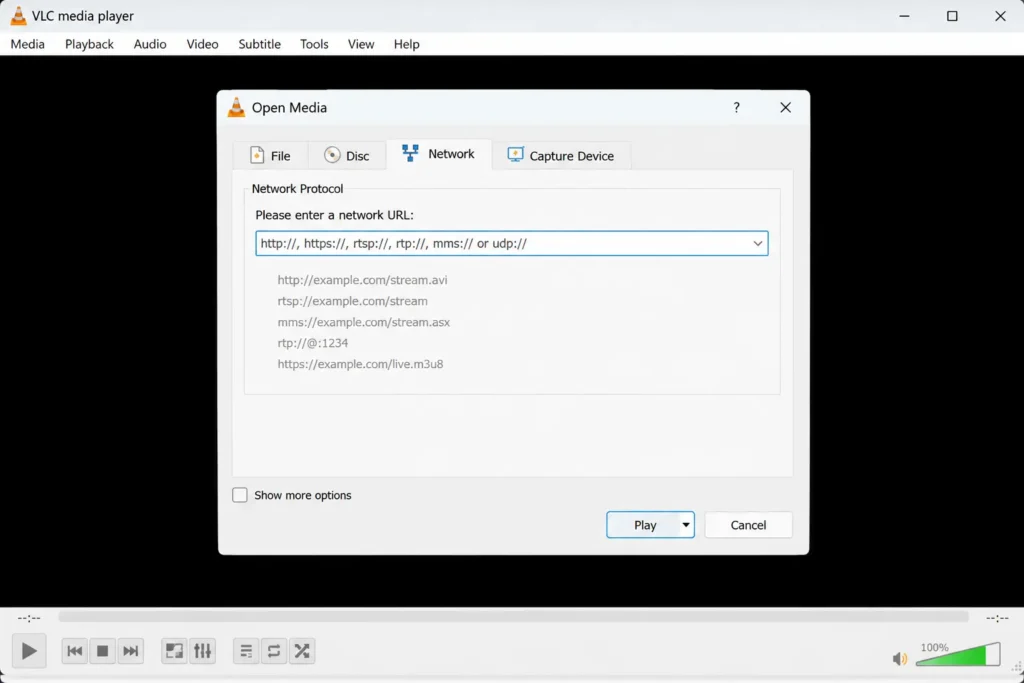
The iptv-org instructions are simple: “paste the link to one of the playlists into any video player that supports live streaming and press Open.” Here’s how that works on common devices.
IPTV GitHub in VLC (Windows, Mac and Linux)
- Open VLC and go to Media → Open Network Stream (on Mac, File → Open Network).
- Paste a playlist link, such as
https://iptv-org.github.io/iptv/countries/us.m3u. - Click Play, then open the playlist view to choose a channel.
For a full walkthrough with screenshots, see our guide to setting up IPTV on VLC.
On Android TV, Firestick and smart TVs
Add the playlist URL as an M3U playlist in an IPTV player app such as TiviMate, IPTV Smarters Pro or Smart IPTV. TV-focused players give you a proper channel list, favourites and a TV guide, which makes large GitHub playlists much easier to browse. Compare options in our guide to the best IPTV player for each device.
On Kodi
Install Kodi’s PVR IPTV Simple Client add-on, choose “Remote path (Internet address)” and paste the playlist URL. Follow our step-by-step guide to watching IPTV on Kodi.
On Linux
Linux Mint’s open-source player Hypnotix accepts M3U URLs directly, so you can add an iptv-org playlist as a provider. It runs on Linux Mint and other distributions such as Ubuntu.
Free TV Guide: iptv-org EPG on GitHub
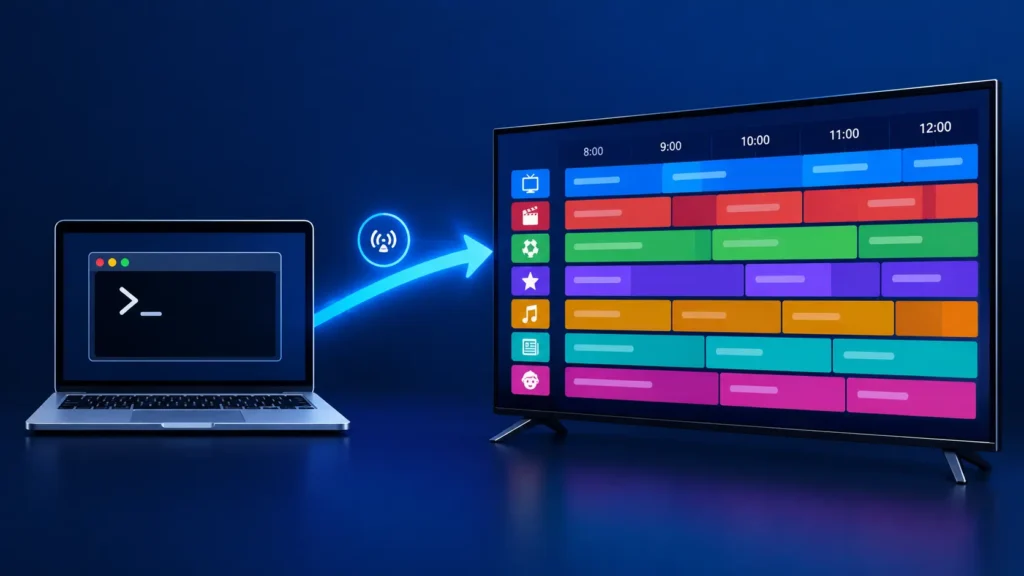
An M3U playlist only lists channels. For a TV guide showing what’s on now and next, you need an EPG (electronic programme guide) file. Learn more in our explainer on what EPG is.
The iptv-org team maintains iptv-org/epg, described as “utilities for downloading the EPG (Electronic Program Guide) for thousands of TV channels from hundreds of sources.” It’s a tool rather than a ready-made file: you install Node.js, run the grab command for the sites you want, and it creates a guide.xml file that you can load into players like TiviMate, Kodi or Hypnotix.
How to Find Channels on iptv.org GitHub
With thousands of entries, finding one specific channel in the full playlist can be slow. These shortcuts help:
- Search the database: iptv-org.github.io lets you search channels by name, country, language or category before you add a playlist.
- Load a smaller playlist: a single country file (for example
countries/uk.m3u) loads faster and is easier to browse than the full index. - Use your player’s search: IPTV players like TiviMate and Kodi let you search inside a loaded playlist and add favourites.
- Check the category: the category playlists, such as news, kids, music or sports, are handy when you’re browsing rather than looking for one channel.
Troubleshooting: IPTV GitHub Channels Not Working
It’s normal for some channels in a free GitHub IPTV playlist not to play. The most common causes and fixes:
- Geo-blocked stream: many broadcasters restrict their live stream to viewers in their own country. Try channels from your own country playlist first.
- Stream offline or moved: public stream URLs change often. Reload the playlist, because the iptv-org files are updated regularly, and the channel may be fixed in a later version.
- Player doesn’t support the format: most streams use HLS (.m3u8). If one player fails, try VLC or Kodi.
- Slow loading: large playlists take time to parse, especially on budget streaming sticks. Switch to a country or category playlist.
Found a broken or wrong link? iptv-org is community-maintained, so you can report it by opening an issue on the iptv-org GitHub repository, following the contribution guidelines there.
Other IPTV GitHub Repositories Worth Knowing
- Free-TV/IPTV: a smaller, stricter playlist (19,000+ stars) that only includes free channels. Its rules state that “if a channel is normally only available via commercial subscriptions it has nothing to do in this playlist”, and it excludes adult channels. It’s also the default source in Hypnotix.
- iptv-org/database: the channel data that powers both the iptv-org playlists and the EPG tools.
Be cautious with random GitHub repositories or “githubusercontent IPTV” links shared on forums that claim to include premium channels, sports or specific operators’ TV packages. Links to paid channels are not “publicly available” streams, and such repositories are often taken down after copyright complaints.
Pros and Cons of Free IPTV GitHub Playlists
Pros
- Free: no subscription and no sign-up.
- Huge variety: channels from many countries and languages in one place.
- Open and transparent: anyone can see, report or suggest channels on GitHub.
- Works with almost any IPTV player.
Cons
- Reliability: public streams change or go offline often, so some channels won’t play.
- Geo-blocking: many broadcasters only allow viewers in their own country.
- No premium content: no paid sports, films or subscription channels.
- Quality varies: some streams are SD or low bitrate.
If you want dependable channels with sport and premium content, a licensed provider is the better option. Compare options in our guide to the best IPTV service providers.
Is IPTV GitHub Legal?
Using the iptv-org playlists is generally low-risk because they point to streams broadcasters have made publicly available, and the project stores no video. However, iptv-org itself notes that it has no control over where links lead, and the copyright status of a stream depends on the broadcaster and your country. Avoid any GitHub playlist that offers paid channels for free. For more, read our guide to whether IPTV is legal. (This is general information, not legal advice.)
Frequently Asked Questions About IPTV GitHub
Which IPTV is legal in the USA?
Licensed live TV services such as YouTube TV, Hulu + Live TV, Sling TV and Philo are legal IPTV options in the USA, as are free ad-supported services like Pluto TV. Free GitHub playlists that link to publicly available broadcaster streams are generally fine too. Services reselling paid channels without permission are not. See our list of legal IPTV services.
What is the best GitHub IPTV player?
There’s no official “GitHub IPTV player,” but several excellent open-source players are developed in the open, including Hypnotix for Linux, Kodi and VLC. All three can play iptv-org playlists. On Android TV and Firestick, TiviMate is a popular non-GitHub choice.
Where can I find IPTV M3U files?
For free, publicly available channels, use the iptv-org playlists (starting with https://iptv-org.github.io/iptv/index.m3u) or the Free-TV/IPTV playlist on GitHub. For premium channels, your licensed IPTV provider will give you an M3U link or Xtream Codes login.
What is the GitHub URL for the IPTV EPG?
The iptv-org EPG project is at https://github.com/iptv-org/epg. It provides tools to download TV guide data for thousands of channels and generate a guide.xml file for your IPTV player. Learn more about how a TV guide works in our EPG guide.
Final Thoughts on IPTV GitHub
IPTV GitHub, and iptv-org in particular, is the easiest way to explore free, publicly available TV channels from around the world. Start with a country or language playlist, open it in VLC, Kodi or your favourite IPTV player, and add the iptv-org EPG for a proper TV guide. Expect some dead or geo-blocked links, and turn to a licensed provider when you need reliable sport and premium channels. For more background, revisit our guides to how IPTV works and IPTV legality.
Great post! I’ve been curious about IPTV and how it works, especially with GitHub’s resources. The explanation of IPTV Repair was especially helpful. Looking forward to exploring the links you provided!
Thank you so much for your kind feedback! I’m glad you found the explanation helpful and informative. I really appreciate your interest and hope you enjoy exploring the additional resources!
Great post! I’ve been curious about IPTV and how it works with GitHub. Your explanations were really helpful in understanding the basics and the repair process. Looking forward to exploring the resources you mentioned!
Thank you so much for your kind feedback! I’m glad you found the explanations helpful and informative. I really appreciate your interest and hope you enjoy exploring the resources mentioned!
Your article helped me a lot, is there any more related content? Thanks!
Thank you so much! I’m glad the article was helpful. Yes, we have more related content available, so feel free to explore the blog for more useful guides and information!
Great insights into IPTV and its functionality! I had no idea GitHub could be such a valuable resource for troubleshooting issues. Thanks for sharing these tips on IPTV repair—it’s definitely going to help me improve my setup!
Thank you so much for your kind feedback! I’m glad you found the IPTV repair tips useful and that the GitHub resources helped you understand the troubleshooting process. I really appreciate your support!
Your article helped me a lot, is there any more related content? Thanks!
Thank you so much! I’m glad the article was helpful. Yes, we have more related content available, so feel free to explore the blog for more useful guides and information!