
An IPTV encoder is the device or software that turns a live video signal, from a camera, satellite receiver, media player or production switcher, into a compressed stream that can travel over an IP network. Every IPTV channel you watch started life passing through an encoder. Whether you’re streaming a single HDMI source to screens around a hotel or building a multi-channel headend, the encoder you pick decides your picture quality, latency and bandwidth bill. This guide explains how an IPTV encoder works, the main types (HDMI, SDI, 4K HEVC, multi-channel and rack-mount), the codecs and protocols that matter, and how to choose the right one.
Key takeaways (TL;DR)
- An IPTV encoder captures a video signal, compresses it (usually with H.264 or HEVC) and sends it over an IP network as a stream.
- HDMI encoders suit small and budget setups. SDI, 4K HEVC and rack-mount multi-channel encoders are built for professional and broadcast work.
- HEVC (H.265) needs roughly half the bitrate of H.264 for the same quality, which matters most for 4K.
- Choose by inputs, channel count, codec, protocols (multicast UDP, SRT, RTMP, HLS), latency and budget, in that order.
What Is an IPTV Encoder?
An IPTV encoder, also called an IPTV video encoder or streaming encoder, converts baseband video (the uncompressed signal coming out of an HDMI or SDI cable) into a digital stream that can be sent over a local network or the internet. Uncompressed HD video is far too large to send efficiently across an IP network, so the encoder compresses it and packages it into network packets.
On the other end of the chain, a set-top box, smart TV app or software player decodes the stream so it can be watched. The encoder is the start of that chain and the decoder is the end. If you’re new to how IP television works as a whole, our guide to what IPTV is explains the full delivery path.
Where IPTV encoders are used
- Hotels and hospitals: distributing TV channels to hundreds of rooms over the existing network.
- Campuses and offices: streaming lectures, town halls and digital signage.
- Sports bars and venues: sending one source to many screens without long cable runs.
- Houses of worship and events: streaming services live to overflow rooms and online viewers.
- Broadcasters and IPTV operators: running headends that encode dozens or hundreds of channels.
How Does an IPTV Encoder Work?
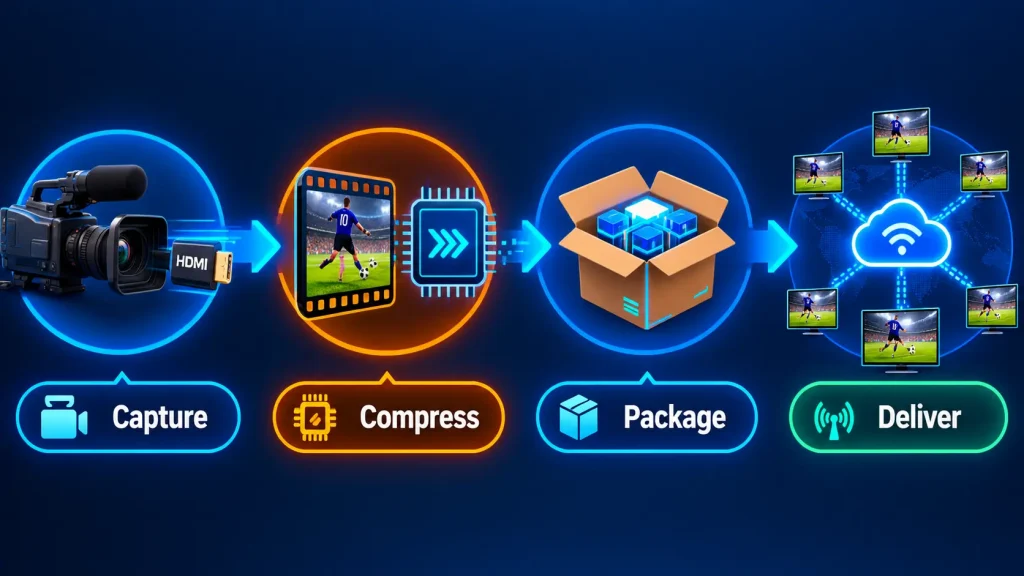
Every IPTV encoder, from a palm-sized HDMI box to a rack of broadcast blades, follows the same four stages:
- Capture: the encoder receives an uncompressed signal through an HDMI, SDI or IP input, along with embedded audio.
- Compress: a hardware chip or software engine compresses the video with a codec such as H.264 (AVC) or H.265 (HEVC), removing redundant information between and within frames.
- Package: the compressed audio and video are wrapped into a container, most often an MPEG transport stream (MPEG-TS) for IPTV, or segments for HLS.
- Deliver: the stream is sent over the network using a transport protocol such as UDP/RTP multicast, SRT, RTMP or HLS.
Multicast vs. unicast
A multicast IPTV encoder sends one copy of each channel onto the local network, and any number of receivers can “join” that stream. This is how hotels and campuses deliver dozens of channels to hundreds of TVs without overloading the network. It does require network switches that support IGMP snooping. Unicast sends a separate stream to each viewer or destination, which is simpler to set up but uses bandwidth for every connection. It’s the norm for internet delivery.
For internet viewers on unpredictable connections, encoders often produce several quality levels at once so the player can switch between them. That technique is explained in our guide to adaptive bitrate streaming.
Types of IPTV Encoders
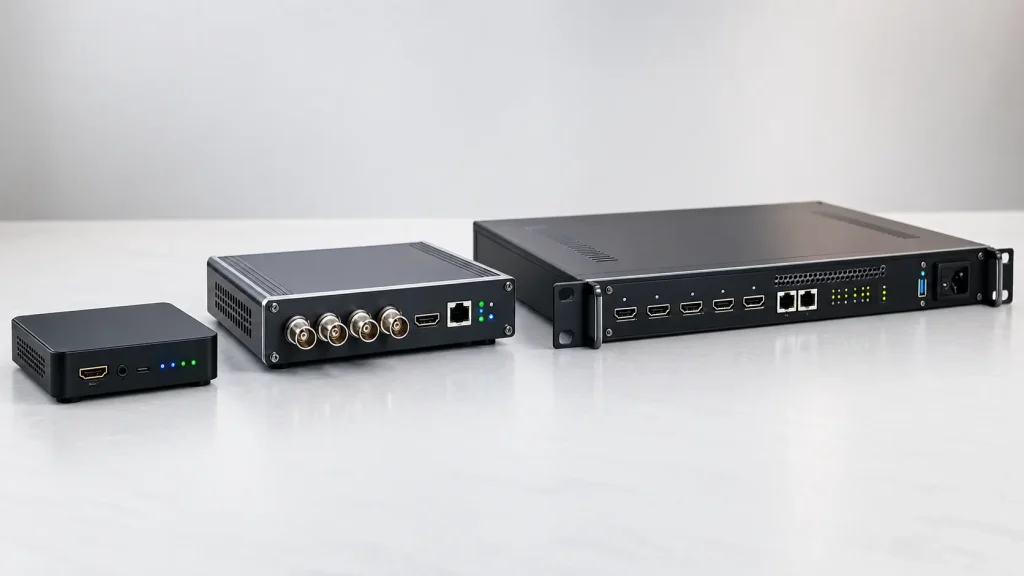
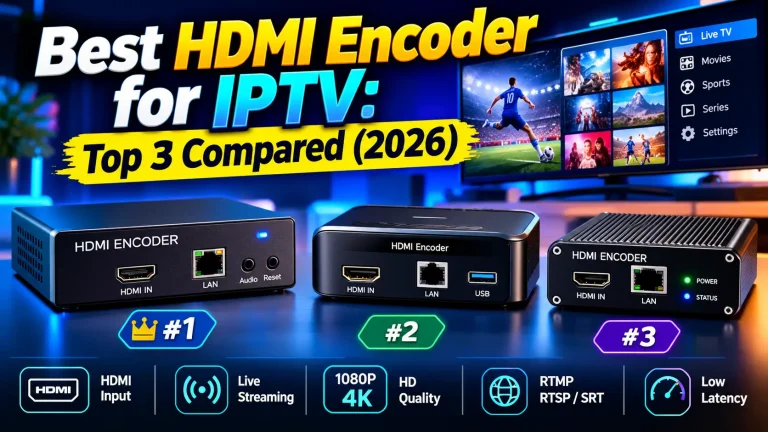
HDMI IPTV encoder
An IPTV encoder HDMI model takes a signal from an HDMI source such as a camera, computer, media player or set-top box. These are compact, affordable and easy to configure through a web interface, which makes them the go-to choice for small businesses, churches and home labs. One limitation to know: most HDMI encoders can’t capture HDCP copy-protected signals. For model-by-model picks, see our round-up of the best HDMI IPTV encoders.
SDI IPTV encoder
An SDI IPTV encoder (SDI to IPTV) accepts Serial Digital Interface signals, the professional broadcast standard. SDI uses locking BNC connectors and supports much longer cable runs than HDMI, and 3G-SDI and 12G-SDI inputs handle 1080p and 4K respectively. You’ll find SDI encoders in TV studios, stadiums and outside-broadcast trucks.
4K HEVC IPTV encoder
A 4K HEVC IPTV encoder compresses Ultra HD video with H.265. Because 4K carries four times the pixels of 1080p, efficient compression is essential. For example, Magewell’s Ultra Encode Plus models stream 4Kp30 at up to 32 Mbps in H.264 or H.265. Higher-end 4K streaming IPTV encoders add 10-bit HDR and 4:2:2 colour for broadcast-grade quality.
Multi-channel and rack-mount IPTV encoders
A 4 channel IPTV encoder or 8 channel IPTV encoder encodes several sources in one box, which cuts cost per channel for headends. Rack-mount IPTV encoders go further, stacking blades in a standard 19-inch chassis. Haivision’s Makito X4, for instance, handles one 4K source or up to four 1080p sources per unit, and up to 84 HD channels in a single 4RU chassis. That’s the scale IPTV operators and broadcasters work at. If you’re planning a service of your own, our guide on how to start an IPTV business covers the headend side.
Hardware vs. software encoders
Hardware IPTV encoders are dedicated boxes with purpose-built chips. They run 24/7, draw little power and don’t crash when a PC updates. Software encoders such as the free, open-source OBS Studio run on a computer and are flexible and cheap to start with, but they depend on the PC’s CPU or GPU and stability. For always-on IPTV channels, hardware is usually the safer choice.
IPTV Encoder Codecs: H.264 vs. HEVC
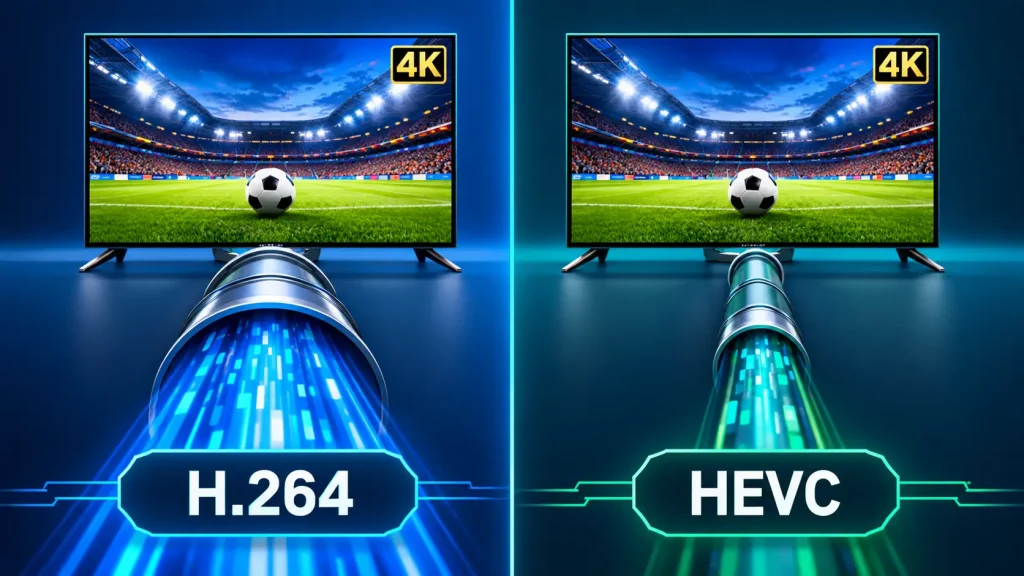
The codec is the compression method, and it has the biggest effect on quality per megabit. When the ITU approved H.265 in 2013, it announced that the new standard “will need only half the bit rate of its predecessor” for comparable quality.
| Factor | H.264 (AVC) | H.265 (HEVC) |
|---|---|---|
| Compression efficiency | Baseline | About 50% better at similar quality |
| Device compatibility | Almost universal | Most modern TVs, boxes and phones |
| Best for | HD channels, maximum compatibility | 4K, HDR and bandwidth-limited networks |
| Encoder cost | Lower | Higher |
A practical rule: use H.264 when you need every older set-top box and browser to play the stream, and HEVC when you’re sending 4K or paying for every megabit of bandwidth. Many modern encoders output both.
Streaming Protocols to Look For
- UDP/RTP multicast: the standard for local IPTV distribution in hotels, hospitals and campuses.
- SRT (Secure Reliable Transport): an open-source protocol originally developed by Haivision that delivers “low latency, packet loss recovery, AES encryption, and adaptive retransmission across any IP network”. An SRT IPTV encoder is ideal for sending feeds over the public internet.
- RTMP/RTMPS: still the most common way to push streams to YouTube, Facebook and many streaming platforms.
- HLS: segment-based delivery that almost every phone, browser and smart TV can play, at the cost of higher latency.
- RTSP and NDI|HX: useful for integrating with security systems and live-production software.
How to Choose the Best Encoder for IPTV
There’s no single best IPTV encoder, only the best fit for your setup. Work through these questions in order:
- What are your sources? HDMI from consumer devices, or SDI from professional cameras and switchers? Pick an encoder with matching inputs.
- How many channels? One or two sources suit single-channel boxes. Four or more usually make a 4-channel, 8-channel or rack-mount unit cheaper per channel.
- What resolution? For 1080p, H.264 is fine. For 4K, choose a 4K HEVC IPTV encoder.
- Where are viewers? A local network needs multicast. Internet delivery needs SRT, RTMP or HLS.
- How much latency can you accept? Live sports betting, two-way interviews and remote production need a low-latency IPTV encoder. Recorded content can tolerate more delay.
- How will you manage it? Look for a web interface, SNMP or API control, and redundant power supplies for 24/7 broadcast use.
Recommended encoder type by use case
| Use case | Encoder type | Key features |
|---|---|---|
| Budget setup (bar, church, home lab) | Single-channel HDMI encoder | H.264/H.265, RTMP, UDP, web interface |
| Hotel, hospital or campus TV | 4–8 channel multicast encoder | UDP/RTP multicast, MPEG-TS, IGMP support |
| Internet contribution and remote production | SRT hardware encoder | SRT, low latency, encryption |
| 4K sports and events | 4K HEVC encoder with 12G-SDI | HEVC, 10-bit HDR, 4:2:2 |
| Broadcast or IPTV operator headend | Rack-mount blade system | High channel density, redundancy, central management |
If you’re after a budget IPTV encoder, a single-channel HDMI model is usually enough to get started. Compare specific units in our guide to HDMI encoders for IPTV before you buy.
Don’t forget the network
Even the best encoder can’t fix a weak network. Multicast needs managed switches with IGMP snooping, and every extra channel adds constant bandwidth. For small setups, a capable router for smooth IPTV streaming is the first upgrade to consider.
Encode Only What You Have the Rights To
Owning an encoder doesn’t give you the right to redistribute any channel it can capture. Streaming your own events, cameras, presentations and licensed content is fine. Re-broadcasting pay-TV channels without permission is copyright infringement, and HDCP protection on many HDMI sources exists precisely to stop it. Commercial venues such as hotels and bars usually need a specific commercial licence from the broadcaster, or they can source channels from legal IPTV services instead. For the wider picture, read is IPTV legal? (This is general information, not legal advice.)
Frequently Asked Questions About IPTV Encoders
-
What encoder to use for streaming?
For always-on IPTV channels, use a hardware encoder with the right inputs (HDMI or SDI) and protocols (multicast for local networks, SRT or RTMP for the internet). For occasional live streams from a computer, a software encoder such as OBS Studio is free and flexible. Choose HEVC for 4K and H.264 for maximum compatibility.
-
What is the best streaming device for IPTV in the USA?
For watching IPTV, popular choices in the USA include the Amazon Fire TV Stick 4K Max, Google TV devices and the NVIDIA Shield, because they support the widest range of IPTV apps. The best one depends on your apps and budget. Compare options in our guide to IPTV players for Firestick.
-
What is an IPTV decoder?
An IPTV decoder is the receiving side of an encoder: a set-top box, app or hardware unit that converts a compressed IP stream back into video for a TV. In hotels it’s often a small box behind each screen, and at home it’s usually a streaming device. Learn more in our guide to IPTV boxes.
-
What does a TV encoder do?
A TV encoder takes a live video signal, such as a camera, cable box output or satellite receiver, compresses it and converts it into a stream that can travel over a computer network. This lets one source be distributed to many screens or viewers over IP instead of coaxial cable. See how that fits into the bigger picture in our explainer on how IPTV works.
Final Thoughts on Choosing an IPTV Encoder
The right IPTV encoder comes down to matching your sources, channel count, resolution and delivery method. A single HDMI box is plenty for a small venue, while broadcasters need SDI, 4K HEVC and rack-mount density with SRT or multicast delivery. Start from your inputs and viewers, choose HEVC wherever bandwidth or 4K matters, plan the network alongside the hardware, and make sure you stay on the right side of IPTV law. If you’re scaling up to a full service, our guide on launching an IPTV business is a good next read.