
IPTV is how a growing share of the world now watches television: live channels, replays and on-demand movies delivered over an internet connection instead of an antenna, satellite dish or cable line. If you’ve ever typed “IPTV what is it” into a search bar, you’re not alone. The term covers everything from your broadband provider’s TV package to the apps on your smart TV. This guide explains the IPTV meaning, how the technology works, which services are legal, and exactly what you need to start watching.
Key takeaways (TL;DR)
- IPTV (Internet Protocol Television) delivers TV over IP networks instead of broadcast antennas, satellite or coaxial cable.
- It comes in three forms: live TV, time-shifted TV (catch-up and start-over) and video on demand.
- The technology itself is legal. What matters is whether a service holds the rights to the channels it sells.
- To get IPTV you need stable broadband, a compatible device and a subscription from a licensed provider.
What Is IPTV? The Meaning of Internet Protocol Television
IPTV stands for Internet Protocol Television. You’ll also see it written as IP TV, IP television or internet protocol TV. In plain terms, it is television sent as data packets over the same kind of network that carries your email and web browsing, rather than as a radio signal from a tower or a satellite.
So what is internet protocol television compared with the TV you grew up with? Traditional broadcast pushes every channel to every home at once, and your TV tunes in to one of them. IPTV works the other way round: your device requests a channel or programme, and the network sends only that stream to you.
The official definition
The International Telecommunication Union’s focus group on IPTV defined it as multimedia services (television, video, audio, text, graphics and data) delivered over IP-based networks that are managed to provide the required quality of service, security, interactivity and reliability. That last part matters. In the strict, telecom-industry sense, an internet protocol television service runs over a network the provider controls, so it can guarantee picture quality in a way the open internet cannot.
IPTV in everyday use
In everyday conversation, people use “IPTV” more loosely to mean any live-TV service streamed over the internet, including apps and subscriptions that run over the public internet. Technically, many of those are OTT (over-the-top) services. We break down the distinction in our guide to the differences between IPTV and OTT, but for most viewers the experience is similar: pick a channel from an on-screen guide and it plays.
How Does IPTV Work?
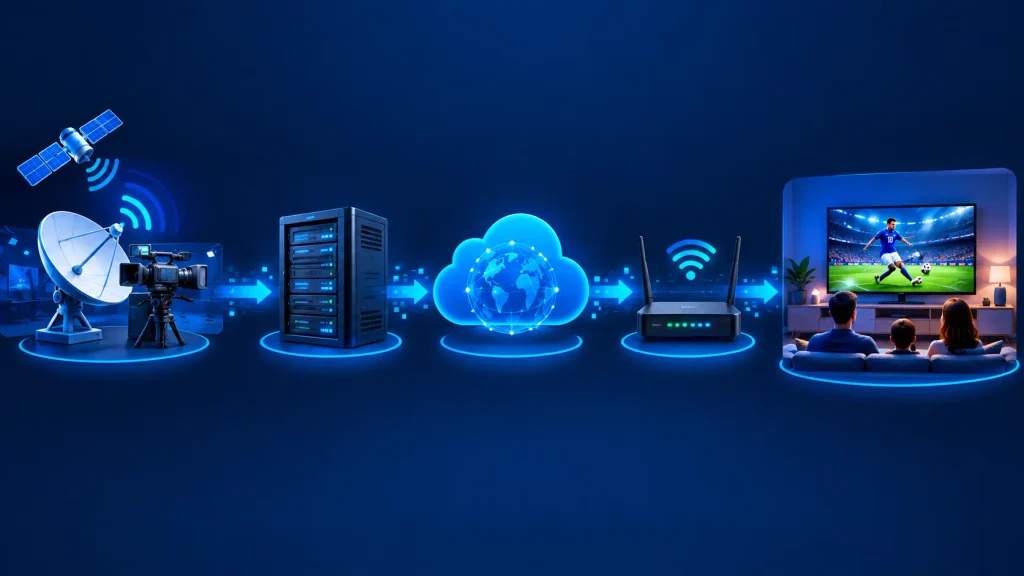
Whether you’re asking “what is IPTV and how does it work” out of curiosity or because you’re troubleshooting a stream, the process follows the same basic path from broadcaster to screen:
- Content acquisition. The provider receives live channels (via satellite feeds, fibre links or directly from broadcasters) and stores movies and series for on-demand viewing.
- Encoding and compression. Video is compressed with codecs such as H.264 (AVC) or H.265 (HEVC) so it travels efficiently, then packaged into streams.
- Middleware and the guide. A middleware platform handles your login, subscription rights, channel list and programme guide.
- Delivery over IP. Streams travel across the provider’s network, or the public internet, as data packets.
- Decoding on your device. A set-top box, smart TV app or streaming stick reassembles the packets, decodes the video and plays it.
Multicast vs. unicast delivery
Managed IPTV networks often use multicast for live channels: one copy of a stream crosses the network and viewers “join” it when they change channel, which saves a huge amount of bandwidth. On-demand content uses unicast, a separate stream for each viewer, because everyone starts and pauses at different times.
Internet-based services typically rely on unicast HTTP streaming combined with adaptive bitrate streaming, which automatically lowers or raises picture quality to match your connection so the video keeps playing instead of freezing.
How much internet speed does IPTV need?
Because IPTV rides on your broadband connection, speed and stability matter far more than with a satellite dish. As a reference point, Netflix recommends a stable 5 Mbps for 1080p and 15 Mbps for 4K. Live IPTV channels need similar headroom, and every extra screen in the house adds to the total.
A wired Ethernet connection or a capable dual-band router makes a noticeable difference. See our picks for the best router for smooth IPTV streaming.
The Three Types of IPTV Services
So what is an IPTV service in practice? Most IPTV TV platforms combine three types of content:
1. Live television
Linear channels broadcast in real time (news, sports, entertainment), just like cable. You browse them through an electronic programme guide. If you’re curious where that schedule data comes from, read what EPG is and how it works.
2. Time-shifted TV
This includes catch-up TV (watching a show hours or days after it aired) and start-over TV (restarting a programme that’s already in progress). Our explainer on catch-up TV in IPTV covers how providers store and serve these archives.
3. Video on demand (VOD)
A library of movies and series you can play at any time, independent of the broadcast schedule. Learn more in our guide to what VOD is and how it differs from live TV.
IPTV vs. Cable, Satellite and OTT Streaming
The easiest way to understand IPTV is to compare it with the alternatives:
| Feature | IPTV | Cable | Satellite | OTT apps |
|---|---|---|---|---|
| Delivery | Managed IP network or internet | Coaxial / hybrid fibre-coax | Dish and satellite signal | Public internet |
| Equipment | Set-top box, app or smart TV | Cable box | Dish and receiver | App on any device |
| Weather sensitivity | Low | Low | High (rain fade) | Low |
| Interactive features | Catch-up, VOD, pause live TV | Varies (DVR, on-demand) | Limited without internet | Mostly on-demand, some live |
| Multi-device viewing | Usually yes | Limited | Limited | Yes |
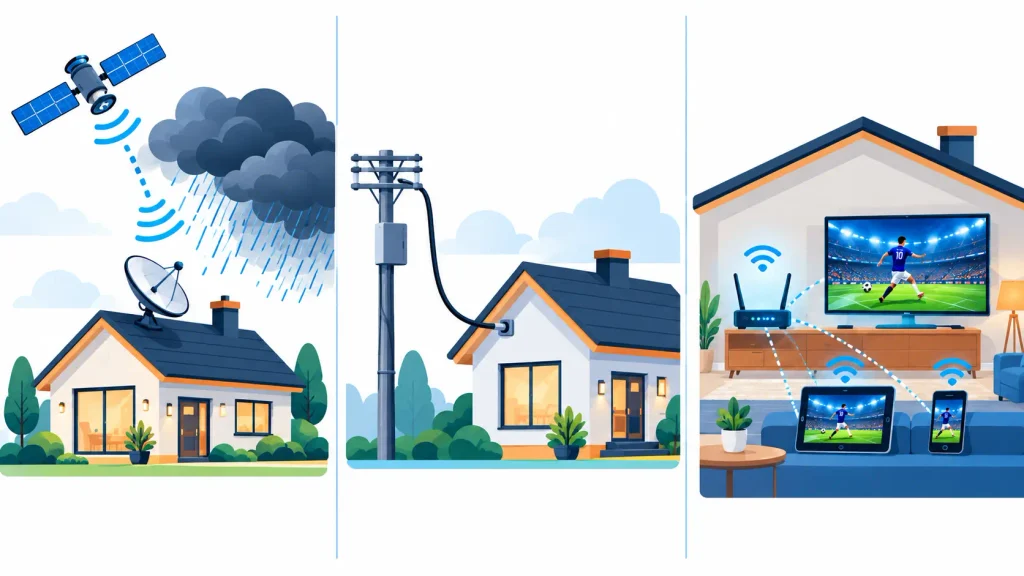
For a deeper side-by-side, see our full comparison of IPTV vs. satellite TV.
Benefits and Drawbacks of IPTV
Benefits
- Watch on almost any screen: smart TVs, phones, tablets, laptops and streaming sticks.
- Interactive viewing: pause live TV, restart shows and catch up on missed episodes.
- Simple installation: no dish or coaxial wiring. Setup is often just an app and a login.
- Wide choice: including international and niche channels that cable rarely carries.
Drawbacks
- Depends on your connection: network congestion causes buffering or reduced quality.
- Unlicensed services are risky: they can vanish overnight, taking your subscription money with them.
- Slight delay on live events: streams can run several seconds behind broadcast TV, which sports fans notice.
- Data usage: heavy viewing can eat into data caps on metered broadband plans.
Is IPTV Legal? Licensed vs. Unlicensed Services
IPTV as a technology is completely legal. Major telecom companies run IPTV networks with millions of subscribers. What determines legality is the service itself, and specifically whether it has licensed the channels and films it streams.
Legitimate options include telecom packages such as Bell Fibe TV in Canada or Deutsche Telekom’s MagentaTV in Germany, plus internet live-TV services like YouTube TV, Sling TV and Fubo. We keep an updated list of legal IPTV services by region.
Unlicensed services are a different story. The Alliance for Creativity and Entertainment (ACE), a coalition of major studios and broadcasters, regularly takes them down. In August 2025, ACE announced a settlement under which the operators of North Carolina-based Rare Breed IPTV agreed to shut down and pay damages. The same month, a US federal court awarded studios $15 million against the operator of Outer Limits IPTV. In the United States, the Protecting Lawful Streaming Act of 2020 also made running a commercial illegal streaming service a potential felony.
For a country-by-country breakdown of the rules, read our full guide: is IPTV legal? (This is general information, not legal advice.)
How to Get IPTV: Step-by-Step Setup
Getting started with IPTV is simpler than installing cable. Here’s the process most viewers follow:
- Check your internet connection. Run a speed test at the time of day you usually watch. If several people will stream at once, plan for the combined bandwidth of every screen.
- Choose a licensed provider. Compare channel lineups, supported devices, price and trial options. Our roundup of the best IPTV service options is a good starting point.
- Pick your device. A smart TV app, Fire TV Stick, Android TV box, Apple TV or computer will all work with most services.
- Install the app or player. Some providers supply their own app; others work with third-party players. Browse the best IPTV players if you need one.
- Sign in and personalise. Enter your login details, let the channel guide load, and set up favourites for quicker browsing.
If you’re completely new, our beginner walkthrough on how to use IPTV covers first-time setup in more detail.
Devices that support IPTV
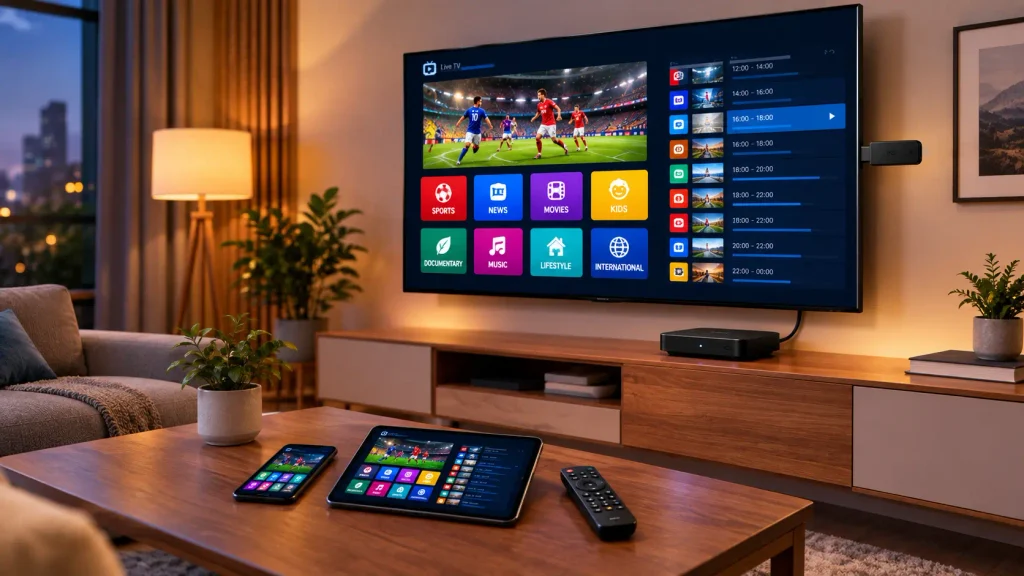
- Smart TVs: Samsung, LG and Android/Google TV models through their app stores.
- Streaming sticks: the Amazon Fire TV Stick is especially popular; see our list of IPTV players for Firestick.
- Android TV boxes: flexible devices that run most IPTV apps.
- Apple devices: Apple TV, iPhone and iPad.
- Computers: Windows, Mac and Linux, through dedicated apps or media players.
IPTV by the Numbers: Market Growth and Adoption
IPTV is no longer a niche technology. IMARC Group valued the global IPTV market at $105.6 billion in 2025 and projects it will reach $304.9 billion by 2034, with North America holding roughly 42.5% of the market. Estimates vary widely between research firms because each defines the market differently, so treat any single figure as a direction of travel rather than an exact count.
Subscriber numbers tell the same story. According to Mordor Intelligence, China Telecom alone has around 195 million IPTV subscribers, while US pay-TV providers lost 5.9 million subscribers in 2024 as cord-cutting accelerated, pushing the traditional pay-TV base below 70 million for the first time.
Frequently Asked Questions About IPTV
-
Is IPTV legal in the USA?
Yes. IPTV technology is legal in the USA, and licensed services such as YouTube TV, Sling TV and Fubo operate openly. Services that stream channels without permission from the copyright holders are illegal, and their operators face lawsuits and possible federal charges. When in doubt, stick to our list of licensed IPTV providers.
-
What is IPTV and how do I get it?
IPTV is television delivered over an internet protocol network instead of cable, satellite or an antenna. To get it, you need a stable broadband connection, a compatible device such as a smart TV or streaming stick, and a subscription from a licensed provider. Compare your options in our guide to the top IPTV services.
-
Does IPTV include Netflix?
Usually not. Netflix is a separate on-demand (OTT) service with its own subscription. Some telecom IPTV platforms, such as MagentaTV in Germany, integrate Netflix into their interface or bundles, so check whether your plan includes it or bills it separately.
-
How do I get IPTV on my TV?
Install your provider’s app on a smart TV, or plug in a streaming device such as a Fire TV Stick, Android TV box or Apple TV. Sign in with your subscription details and the channel guide will load. Step-by-step instructions are in our guide on setting up and using IPTV.
Final Thoughts: Is IPTV Right for You?
IPTV, or television over internet protocol, gives you live channels, catch-up TV and on-demand content on almost any screen, without a dish or cable box. The trade-off is that your viewing experience depends on your internet connection and, above all, on choosing a trustworthy provider. Check your speeds, pick a licensed service, and if you’re unsure about a provider, review our guide on IPTV legality before you subscribe.