
If you’ve seen “VOD” on a streaming menu, a Twitch channel or an IPTV app and wondered what it means, the short answer is simple: VOD stands for video on demand. The VOD meaning covers any video you choose to watch whenever you want, instead of at a time set by a broadcaster. Netflix, Prime Video, YouTube, a film you rent online and the Movies section of your IPTV app are all VOD. This guide explains what VOD is, how VOD streaming works, the main types (SVOD, AVOD, TVOD and more), what “VODs” means on Twitch, and how VOD fits into IPTV.
Key takeaways (TL;DR)
- VOD means video on demand: content you pick and play at any time, with pause, rewind and fast-forward.
- VOD services make money through subscriptions (SVOD), ads (AVOD), rentals and purchases (TVOD), or a mix of these.
- In gaming and live streaming, “VODs” are recordings of past live broadcasts.
- On IPTV, VOD is the on-demand movie and series library that sits alongside live TV channels.
VOD Meaning: What Does VOD Stand For?
VOD (sometimes written V.O.D.) stands for video on demand. A simple VOD definition: a system that lets viewers select and watch video content when they choose, rather than following a fixed broadcast schedule.
With traditional “linear” TV, a channel decides that a show airs at 8 p.m., and you either watch it then or miss it. With VOD, the whole library is waiting, and playback starts the moment you press play. You can pause, rewind, skip ahead and come back later.
VOD vs. live and linear TV
- Linear TV: scheduled programmes on channels, whether over the air, on cable, on satellite or through live IPTV channels.
- Live streaming: real-time events streamed over the internet, such as sports or a creator’s live broadcast.
- VOD: pre-recorded content stored on servers and played on request.
The line between these is blurring. Many services now offer live channels and on-demand libraries in one app, and features like catch-up TV turn yesterday’s live broadcast into something you can watch on demand.
A brief history of video on demand
Video on demand is older than most people think. In the 1990s, cable and telecom companies trialled VOD systems that sent films to set-top boxes, and hotel pay-per-view movies became a familiar version of the idea. Cable operators later added on-demand menus to their boxes, letting subscribers pick shows from a catalogue instead of waiting for a broadcast.
The real shift came with broadband internet. YouTube launched in 2005, and Netflix began streaming films online in 2007, moving VOD from the cable box to any connected screen. Today, on-demand viewing is the default way many people watch films and series, with live TV increasingly reserved for sport, news and events.
What Is VOD Streaming and How Does It Work?
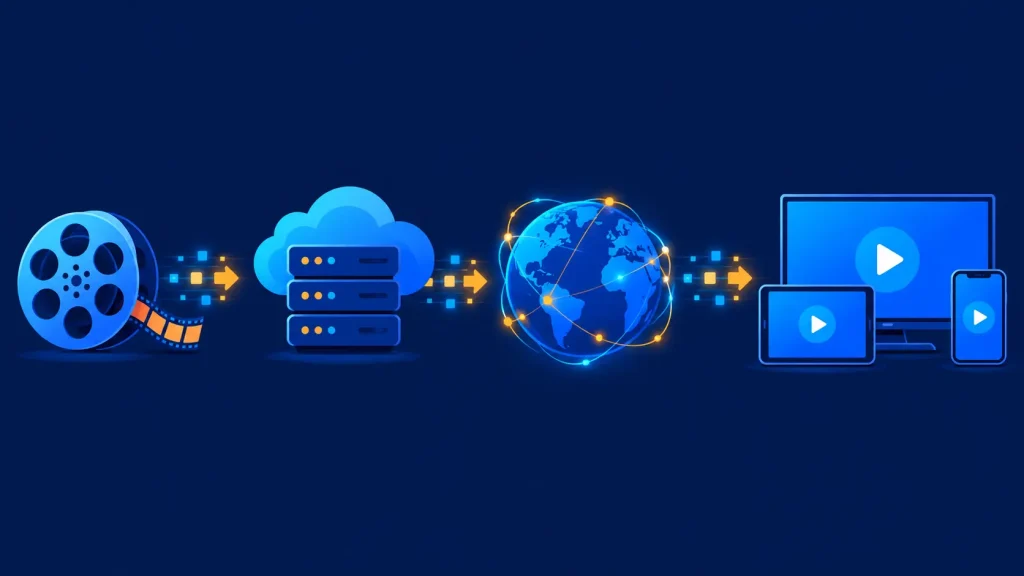
VOD streaming delivers stored video over the internet in small chunks, so playback can start almost instantly without downloading the whole file first. Behind the play button, a few steps happen:
- Encoding: the provider compresses each title into several quality levels, from low-resolution mobile versions up to 4K.
- Storage and delivery: the files are stored on servers and copied to content delivery networks (CDNs) close to viewers.
- Request: when you press play, your app requests the title and starts downloading short segments.
- Adaptive playback: the player switches between quality levels as your connection speeds up or slows down, a technique called adaptive bitrate streaming.
- Protection: paid services use DRM (digital rights management) and logins so only authorised viewers can play the content.
Types of VOD: SVOD, AVOD, TVOD and More
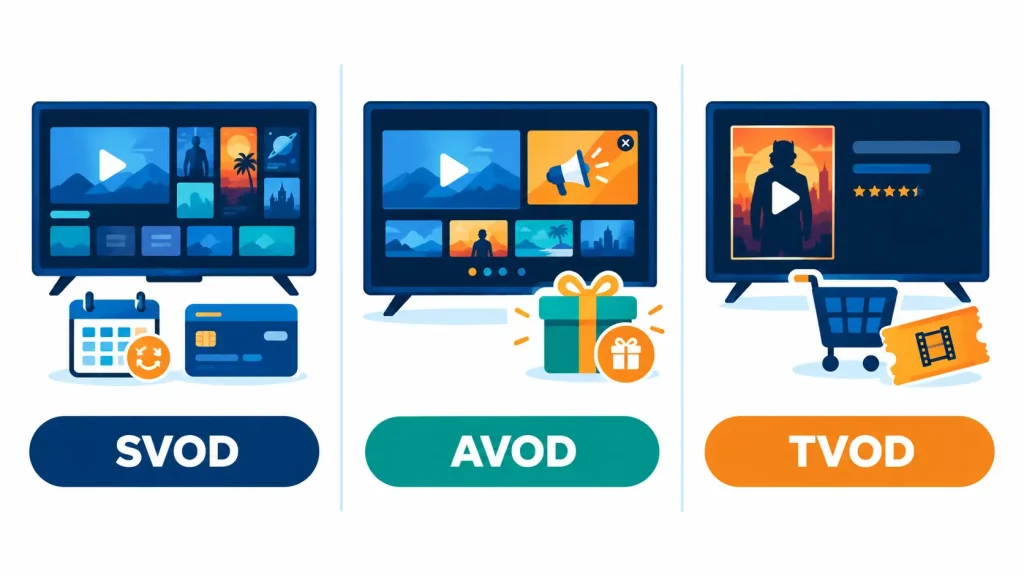
Not all VOD works the same way. The main difference is how you pay for it:
| Model | What it means | How you pay | Examples |
|---|---|---|---|
| SVOD | Subscription video on demand | Monthly or yearly fee for the whole library | Netflix, Disney+, Max |
| AVOD | Advertising-based video on demand | Free, funded by ads | YouTube, Tubi, Pluto TV on-demand |
| TVOD | Transactional video on demand | Pay per title, to rent or buy | Prime Video Store, Apple TV rentals |
| PVOD | Premium video on demand | Higher one-off price for early access to new films | New cinema releases available to rent at home |
| Hybrid | A mix of the above | Subscription plus ads, rentals or add-ons | Prime Video, ad-supported Netflix plans |
SVOD (subscription VOD)
SVOD is the model most people picture when they hear “VOD”: one fee, unlimited viewing. Netflix is the best-known example, and it reported topping 325 million subscribers in its Q4 2025 results.
AVOD (ad-supported VOD)
AVOD services are free to watch because advertisers pay instead. They’re a popular way to cut costs. Our list of the best free IPTV streaming apps includes several legal AVOD options.
TVOD (transactional VOD)
With TVOD you pay for individual titles, either to rent (usually with a limited viewing window) or to buy. It’s the digital version of the old video-rental shop. Pay-per-view events, such as boxing and UFC fights, work in a similar way.
What Does VOD Mean on Twitch, YouTube and in Gaming?
In gaming and live-streaming communities, the meaning of “VODs” is slightly different. A VOD is a recording of a past live stream that viewers can watch after the broadcast ends. When a streamer says “check the VOD”, they mean the saved replay.
On Twitch, these are called past broadcasts, and they don’t last forever. According to Twitch Support, past broadcasts are kept for 60 days for Partners, Prime and Turbo users, 14 days for Affiliates, and 7 days for everyone else. Streamers who want to keep them longer usually export highlights or upload the VODs to YouTube.
Esports players also use VODs to study matches, which is known as “VOD review”. Coaches and players rewatch past games to spot mistakes and plan strategies.
What Is VOD on IPTV?
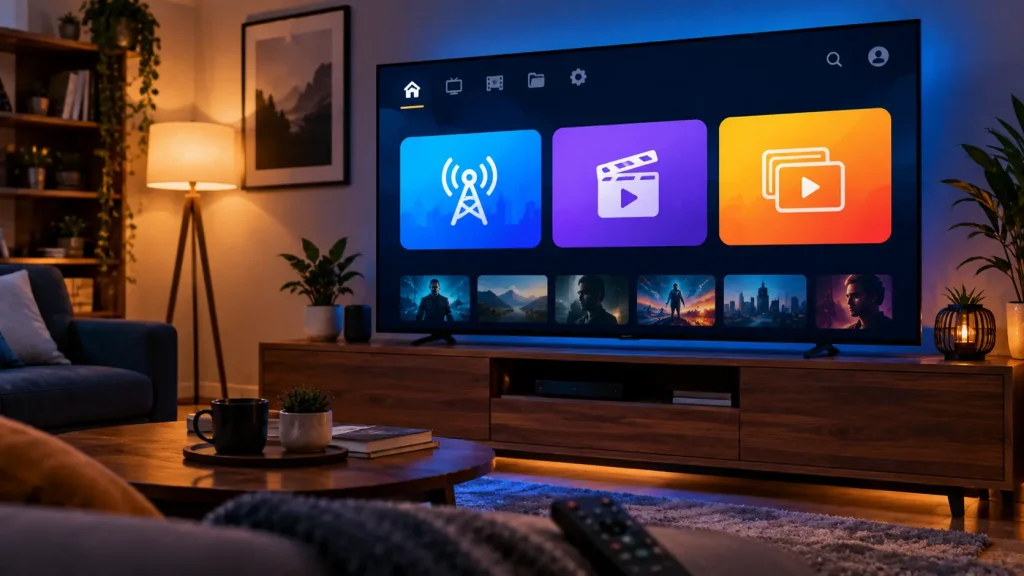
If you use an IPTV service, you’ll usually see two main sections: Live TV and VOD (often split into Movies and Series). VOD on IPTV is simply the provider’s on-demand library: films and box sets you can start at any time, delivered over the same internet connection as the live channels. If you’re new to the technology, start with our explainer on what IPTV is.
Here’s how the two parts of an IPTV service differ:
- Live TV: scheduled channels with a TV guide, delivered in real time.
- VOD: a searchable catalogue of movies and series with posters, descriptions and resume-playback.
- Catch-up: a bridge between the two, letting you watch recently aired live programmes on demand.
For a closer look at how these parts work together, read our comparison of IPTV and VOD. IPTV players such as TiviMate and IPTV Smarters Pro show a provider’s VOD library in dedicated Movies and Series sections, loaded automatically when you log in with Xtream Codes details.
VOD, IPTV and OTT: what’s the difference?
These terms overlap, which causes confusion. IPTV describes how TV is delivered over IP networks. OTT (“over the top”) describes services delivered over the open internet, independent of your broadband provider. VOD describes how you watch: on demand rather than on a schedule. Netflix, for example, is an OTT service that offers VOD. Our guide to the differences between IPTV and OTT breaks this down further.
Benefits and Drawbacks of VOD
Benefits
- Watch on your schedule: no fixed airtimes, and full control over playback.
- Huge libraries: thousands of titles in one place, often with personalised recommendations.
- Any device: TVs, phones, tablets, laptops and streaming sticks, often with downloads for offline viewing.
- Flexible pricing: choose between subscriptions, free ad-supported services and one-off rentals.
Drawbacks
- Subscription fatigue: content is spread across many services, and the costs add up.
- Titles come and go: licensing deals mean shows can disappear from a library.
- Needs good internet: Netflix, for example, recommends 5 Mbps for Full HD and 15 Mbps for 4K.
- Less suited to live events: sports and news are still best watched live.
How to Choose a VOD Service
- List what you actually watch. Films, series, kids’ content or sport each point to different services.
- Decide how you want to pay. A subscription suits heavy viewers, ads suit tight budgets, and rentals suit occasional viewers.
- Check device support. Make sure the app runs on your TV or streaming stick.
- Consider bundles. Some IPTV and telecom packages combine live TV and VOD in one subscription.
- Stick to licensed services. Unlicensed VOD libraries can disappear without warning and may break copyright law.
If films and series are your main focus, our round-up of the best IPTV apps for movies and TV shows compares the strongest on-demand libraries.
Frequently Asked Questions About VOD
What is a VOD in streaming?
In streaming, a VOD (video on demand) is any pre-recorded video you can play whenever you like, such as a film, a TV episode or a saved replay of a live stream. Unlike live TV, you control when it starts and can pause, rewind or skip ahead.
Is Amazon Prime a VOD?
Yes. Amazon Prime Video is a VOD service, and a hybrid one. Its included catalogue works as subscription VOD with ads, which Amazon introduced in 2024, with an ad-free option for an extra $2.99 a month in the US. It also offers transactional VOD through titles you can rent or buy.
How do I access VOD?
You need an internet connection, a compatible device (smart TV, streaming stick, phone or computer) and a VOD app or service. Sign up for a subscription, free ad-supported or rental service, open the app and choose a title. On IPTV, open the Movies or Series (VOD) section of your player. See how IPTV and VOD work together.
Is Netflix a VOD service?
Yes. Netflix is one of the world’s largest subscription video on demand (SVOD) services. You pay a monthly fee and can stream any title in its library on demand. Netflix also offers an ad-supported plan in some countries, which adds an AVOD element.
Final Thoughts on the VOD Meaning
The VOD meaning is simple: video on demand, content you watch when you want. The ecosystem around it is broad, from SVOD giants like Netflix to free ad-supported apps, rental stores, Twitch past broadcasts and the Movies tab in your IPTV player. Understanding the different VOD models helps you pay only for what you watch. To see how on-demand content fits alongside live channels, explore our guides to IPTV and IPTV vs. OTT.