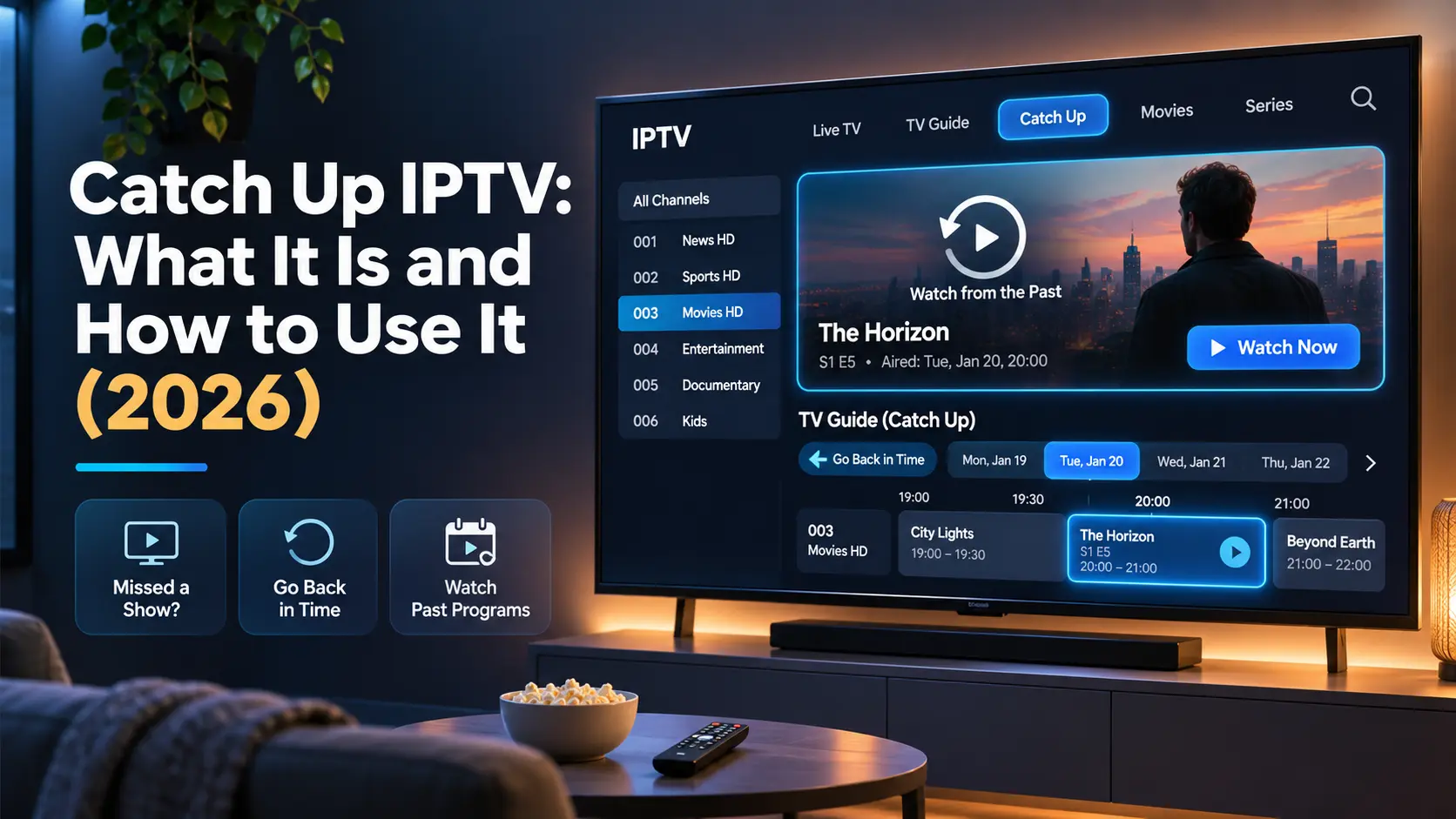

Catch up IPTV lets you go back in the TV guide and watch programmes that have already aired, without recording them first. Missed last night’s match or the evening news? If your IPTV service and player support catch-up, you just scroll back in the guide and press play. This guide explains the IPTV catch-up meaning, how catch-up works behind the scenes, how it differs from on demand and DVR, how to use catch-up in IPTV Smarters Pro, TiviMate and Kodi, and what to do when IPTV catch-up is not working.
Key takeaways (TL;DR)
- Catch-up TV lets you replay recent live programmes from the TV guide, usually for a set number of days, such as 7-day catch-up.
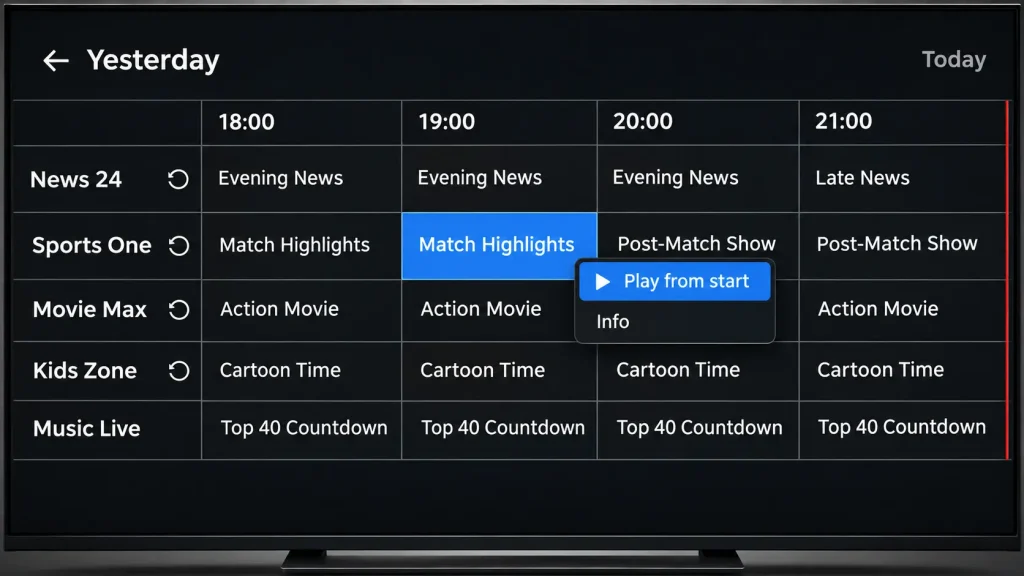
- Catch-up only works when the provider stores (archives) the channel and your player supports it. Channels with catch-up are often marked with an icon in the guide.
- Catch-up differs from on demand (a curated library) and DVR (recordings you choose).
- In the UK, catch-up on ITVX, Channel 4 and My5 is free without a TV licence, but BBC iPlayer always needs one.
What Is Catch Up IPTV? (Catch-Up Meaning)
Catch-up TV is a feature that keeps recent broadcasts available for a limited time, so you can watch them after they’ve aired. On IPTV, which delivers TV over the internet (see our guide to what IPTV is and how it works), catch-up is built into the TV guide: past programmes stay selectable, and pressing one plays it from the start.
Catch-up is popular because it removes the need to plan. In the UK, viewing of broadcaster on-demand and catch-up services such as BBC iPlayer, ITVX and Channel 4 Streaming rose 9% year on year in 2025, the fastest growth of any TV category, according to Ofcom’s Media Nations 2026 report, as covered by Telecoms.com.
How Does IPTV Catch-Up Work?
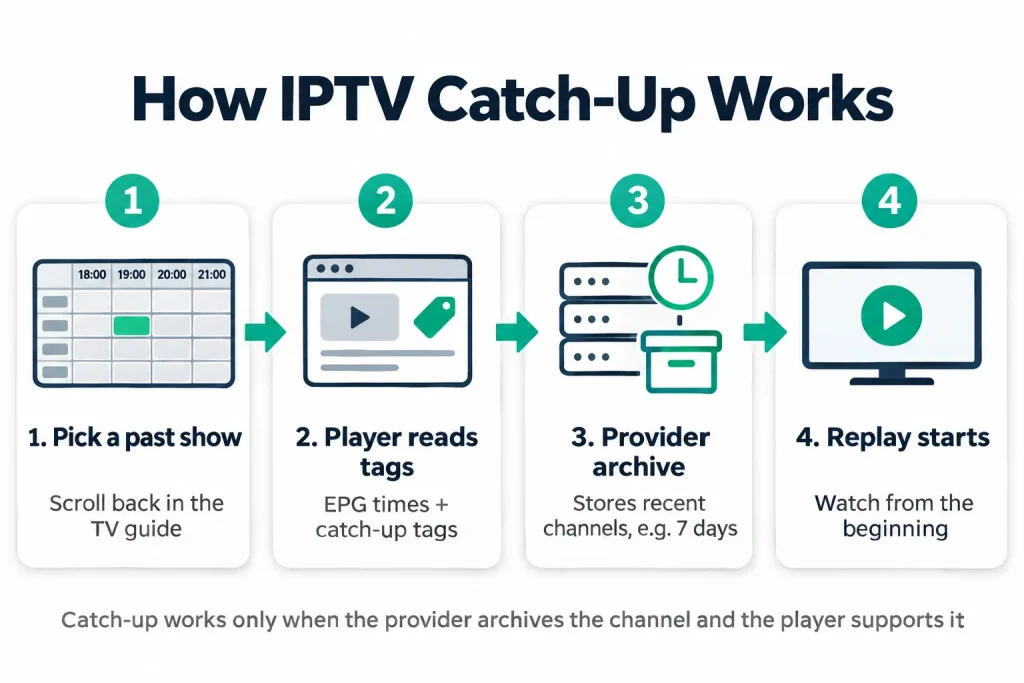
Catch-up needs two things: the provider must archive the channel on its servers, and your player must know how to request those past programmes.
The provider’s archive
A provider that offers catch-up keeps a rolling archive of selected channels, typically for a few days. The length of that window is what “IPTV with 7-day catch-up” refers to. Not every channel is archived, so catch-up is often limited to the most popular channels.
How the player requests past programmes
With an Xtream Codes login, the provider’s server tells the player which channels have an archive and for how long, so catch-up usually works automatically. With an M3U playlist, the details are stored as tags on each channel. The Kodi PVR IPTV Simple Client documentation describes the main ones:
catchup: the catch-up mode, such asdefaultorappend.catchup-days: “the number of days in the past catchup is available for”.catchup-source: the address or query used to request a past programme.
The player combines these with the programme times from your EPG to request the right part of the archive. That’s why catch-up depends on a working guide; our explainer on EPG for IPTV covers how guides work.
Catch-Up TV vs On Demand vs DVR
| Catch-up TV | On demand (VOD) | DVR | |
|---|---|---|---|
| What it is | Recent live broadcasts kept for a short window | A curated library of films and series | Recordings you schedule yourself |
| Who decides what’s available | The provider (archived channels) | The provider (licensed titles) | You |
| How long it lasts | Usually a few days, such as 7 | As long as the rights last | Until you delete it, or the cloud DVR limit |
| Where you find it | Going back in the TV guide | Movies and Series sections | Recordings section |
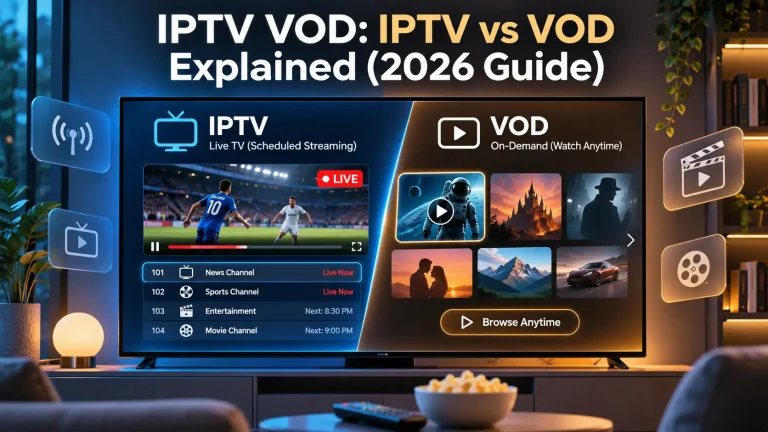
Learn more about the on-demand side in our guide to IPTV VOD.
How to Use Catch Up on IPTV
IPTV Smarters Pro catch-up
Step 1: Log in with your provider’s Xtream Codes details.
Step 2: Open the Catch Up section from the home screen.
Step 3: Choose a channel category, then a channel that has an archive.
Step 4: Pick a date and programme to start playback.
If the Catch Up section is empty, your provider probably doesn’t offer catch-up on your plan.
TiviMate catch-up
The TiviMate listing on Google Play lists catch-up among its features. To use it:
Step 1: Add your playlist and EPG.
Step 2: Open the TV guide and scroll back to a past programme on a channel with catch-up.
Step 3: Select the programme and choose to play it.
Kodi with PVR IPTV Simple Client
In Kodi, catch-up is set in the PVR IPTV Simple Client add-on, where you choose a catch-up mode (Default, Append, Shift, Flussonic or Xtream codes) and the number of days. Tags in your M3U override these settings. The add-on can also enable timeshift, letting you “skip between programmes and channels as if watching live TV”, according to its documentation.
Best IPTV Player and Service With Catch-Up
The best IPTV player with catch-up is one that reads your provider’s archive cleanly and shows it in the guide. TiviMate, IPTV Smarters Pro and Kodi all support it; compare more in our IPTV player guide.
For the service, look for:
- Licensing: a licensed provider that holds the rights to replay programmes.
- Catch-up window: how many days are archived, such as 7-day catch-up.
- Channel coverage: which channels have an archive, not just how many channels exist.
- Xtream support: Xtream logins make catch-up work automatically in most players.
Licensed options by country are in our guide to the best IPTV service providers. Be wary of “IPTV with catch-up” offers on Reddit that promise thousands of archived channels for a few dollars: these are usually unlicensed. Stick to our list of legal IPTV options.
Is Catch-Up TV Free?
Often, yes. Many broadcasters run free catch-up apps. In the UK, TV Licensing says you can watch “on demand programmes on all catch up services excluding BBC iPlayer” without a TV licence, so ITVX, Channel 4 and My5 catch-up are free. BBC iPlayer is the exception: “you cannot watch any catch up programmes on BBC iPlayer without a TV Licence”. Paid IPTV services usually include catch-up as part of the subscription.
IPTV Catch-Up Not Working? Fixes
- No catch-up icon on channels: the provider doesn’t archive those channels, or your plan doesn’t include catch-up.
- Catch-up plays the wrong programme: your EPG time zone or offset is wrong. Fix the time shift in your player, or use the
catchup-correctiontag in Kodi. - Catch-up works on Xtream but not M3U: your M3U is missing
catchuptags. Ask your provider for an M3U with catch-up enabled, or use the Xtream login. - Playback stops or errors: the programme may be outside the archive window. Try a more recent programme.
- The current programme can’t be replayed: some players only allow catch-up once a programme has finished.
Frequently Asked Questions About Catch-Up IPTV
-
Is catch-up TV free?
Often. In the UK, ITVX, Channel 4 and My5 catch-up are free without a TV licence, but BBC iPlayer needs one. On paid IPTV services, catch-up is usually included in your subscription when the provider offers it.
-
What is the difference between catch up TV and on demand?
Catch-up TV replays recent live broadcasts for a short window, usually a few days, from the TV guide. On demand is a curated library of films and series that stays available for as long as the provider holds the rights.
-
What channels are on Catch Up TV?
It depends on your provider. Broadcaster apps offer catch-up for their own channels, while IPTV services choose which channels to archive, often the most popular ones. Channels with catch-up are usually marked with an icon in the TV guide.
-
How do you access Catch Up TV?
Open your TV guide and scroll back to a past programme, or use the Catch Up section in apps like IPTV Smarters Pro. On broadcaster apps such as ITVX, browse their catch-up sections. Your provider and player must both support catch-up.
Final Thoughts: Getting the Most From Catch Up IPTV
Catch up IPTV is one of the most useful features in modern TV: it turns the guide into a rolling library of the past few days. To make it work, choose a licensed provider that archives the channels you watch, use a player that supports catch-up, and keep your EPG accurate. For more, compare legal IPTV services, browse our IPTV service guide and best IPTV player list, or start with how IPTV works.