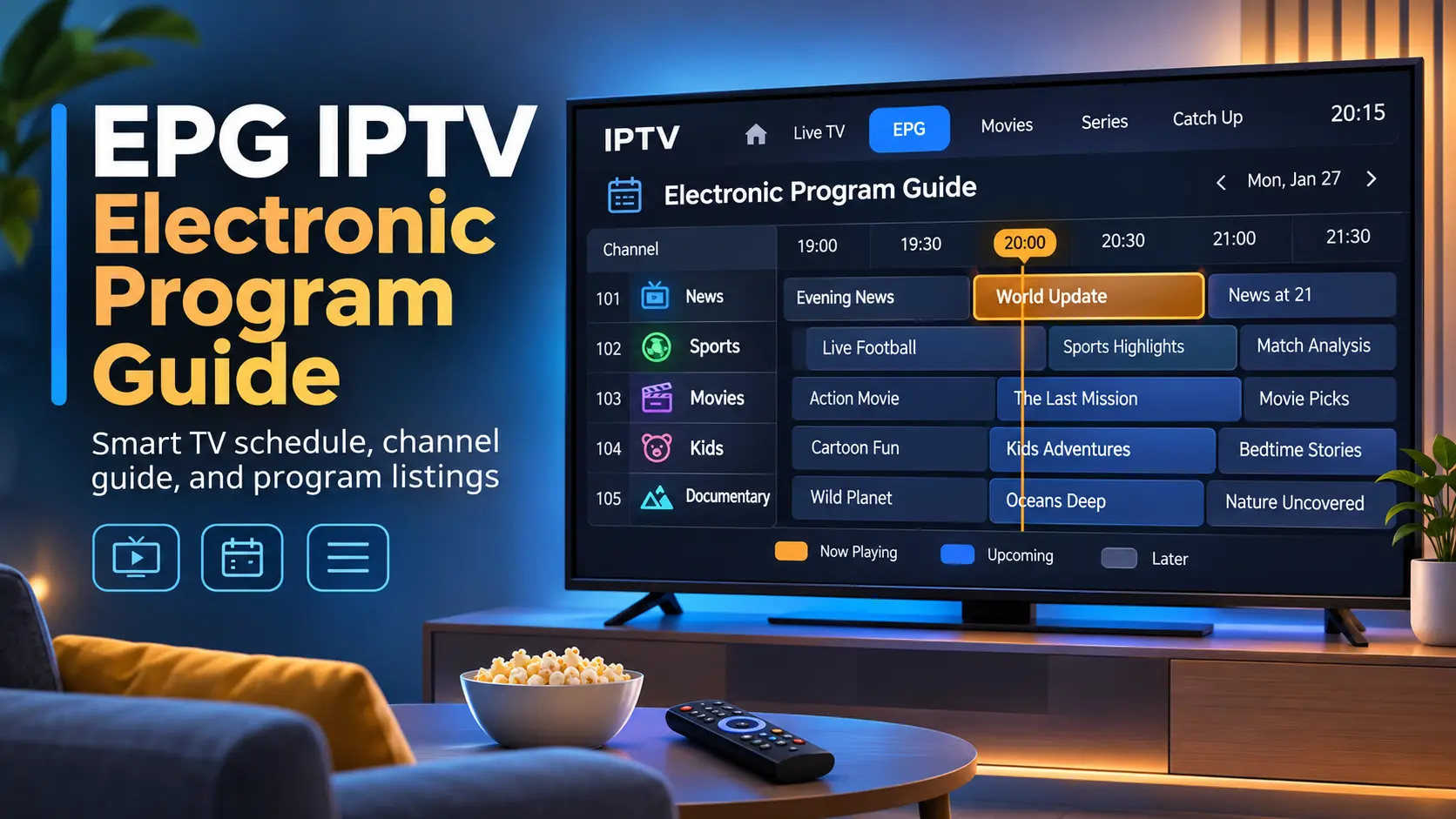

EPG IPTV setups turn a plain list of channels into a proper TV guide, showing what’s on now, what’s next and what’s coming up later in the week. EPG stands for Electronic Program Guide, and on IPTV it usually comes as an XMLTV file that your player matches to the channels in your playlist. This guide explains what EPG on IPTV is, how it works, where to find free EPG sources (including iptv-org/epg), how to add an EPG source to TiviMate and other players, and how to fix an EPG that isn’t showing up.
Key takeaways (TL;DR)
- EPG is the TV guide in your IPTV app. It comes from a separate XMLTV file (an EPG source URL), not from the video streams.
- Your player links each channel to its guide using an ID: the
tvg-idin your M3U playlist must match the channel ID in the XMLTV file. - The best EPG for IPTV is usually the one your licensed provider supplies. For free playlists, iptv-org/epg can build a guide for thousands of channels.
- Most “EPG not showing” problems come from mismatched IDs, wrong time zones, an expired guide URL or an unsupported file format.
What Is EPG on IPTV?
An electronic program guide is a menu that shows schedules for current and upcoming programmes. Wikipedia traces the first EPG service in North America to 1981, when United Video Satellite Group launched a cable channel called The Electronic Program Guide. Today’s guides are interactive, letting you browse by time, channel or genre, and typically cover seven or 14 days of listings.
On IPTV, the EPG works the same way, but the data arrives over the internet. If you’re new to the technology itself, start with our guide to what IPTV is and how it works.
An IPTV EPG shows what’s on now and next across every channel.
How Does EPG for IPTV Work?
An IPTV setup has two separate parts: the playlist (usually an M3U file or an Xtream Codes login) that holds the channel streams, and the EPG source that holds the schedule. Your player downloads both and joins them together.
The XMLTV format
Most IPTV players read EPG data in the XMLTV format, maintained by the XMLTV Project. According to the XMLTV wiki, a file is wrapped in a <tv> element and contains two kinds of records:
- Channel records: each
<channel>has anidand one or more display names. - Programme records: each
<programme>hasstart,stopandchannelattributes, plus a title and optional details such as a description or category.
Times include a UTC offset, for example start="20080715003000 -0600", which is why a wrong time zone setting can shift your whole guide by several hours.
How your player matches channels to the guide
Each channel in an M3U playlist can carry a tvg-id tag. When the tvg-id matches a channel id in the XMLTV file, the player shows that channel’s schedule. If the IDs don’t match, the channel appears with “No information” even though the stream plays fine.
The tvg-id in your playlist must match the channel ID in the EPG file.
Xtream Codes logins usually load the EPG automatically, because the provider’s server supplies both the channels and the guide.
EPG Sources for IPTV: Where to Get a Guide
There are three main places to get an EPG source for IPTV:
- Your IPTV provider: licensed services include an EPG with their app or Xtream login, already matched to their channels. This is the easiest and most reliable option.
- iptv-org/epg: a free, open-source tool that builds XMLTV guides from public TV listings websites.
- Community-hosted guide URLs: free EPG source URLs shared by volunteers, which come and go often.
iptv-org EPG: the best free EPG source
The iptv-org/epg project on GitHub describes itself as “tools for downloading the EPG (Electronic Program Guide) for thousands of TV channels from hundreds of sources”. It has around 3,500 stars and is released under the Unlicense, which places it in the public domain.
The project doesn’t host a single ready-made guide. Instead, you run it yourself:
Step 1: Install Node.js and clone the iptv-org/epg repository.
Step 2: Run npm install in the project folder.
Step 3: Pick a source site from the project’s SITES.md list.
Step 4: Run npm run grab --- --sites=example.com, replacing example.com with your chosen site, to create a guide.xml file.
Step 5: Serve the file on your network (the README suggests npx serve, giving you http://localhost:3000/guide.xml), then add that URL to your player.
For an always-on setup, the README also offers a Docker image (ghcr.io/iptv-org/epg:master) that refreshes the guide daily at 00:00 UTC by default. It pairs naturally with the free playlists in our guide to IPTV GitHub playlists.
iptv-org/epg builds a free XMLTV guide from hundreds of listings sites.
Free EPG source URLs: a word of caution
The iptv-org project keeps a community list of hosted guides in its GUIDES.md file. When we checked in November 2026, several listed hosts showed as offline with zero channels, which is typical of free EPG URLs: they work for a while and then disappear. Test any free EPG source URL before relying on it, and avoid “premium EPG” add-ons sold alongside unlicensed IPTV subscriptions.
How to Add an EPG Source to Your IPTV Player
The steps differ slightly by app, but the idea is the same everywhere: paste the EPG URL, update, and let the player match channels.
TiviMate EPG sources
Step 1: Open TiviMate and go to Settings.
Step 2: Select EPG, then choose to add an EPG source.
Step 3: Paste your XMLTV URL and confirm.
Step 4: Update the EPG and wait for the guide to load.
For a full walkthrough of the app, see our TiviMate guide.
Other IPTV players
- GSE Smart IPTV: supports XMLTV guides in xml, zip or gz format. Add them under EPG Sources, as shown in our GSE Smart IPTV guide.
- IPTV Smarters Pro: loads the EPG automatically with Xtream Codes logins.
- Plex: needs an XMLTV guide through Threadfin, covered in our Plex IPTV guide. Plex doesn’t accept GZIP-compressed guides.
- VLC: has no EPG support at all, so it’s best for testing streams only.
Compare more apps with full guide support in our IPTV player guide.
What an EPG Adds to IPTV
A working guide does more than show programme names. Depending on your player and provider, IPTV with EPG can unlock:
- Now and next: see what’s playing on every channel without switching.
- Reminders: get an alert when a programme starts.
- Recording: schedule recordings by programme rather than by time, as Plex DVR does with its guide.
- Catch-up: some providers let you replay past programmes straight from the guide.
- Search: find a match, film or show by title across all channels.
Without an EPG, none of these features work, because the player has no idea what’s on.
What Is the Best EPG for IPTV?
The best EPG for IPTV is the one that matches your channels:
- Licensed IPTV service: use the provider’s built-in guide. It’s already matched, updated daily and needs no setup. Compare options in our guide to the best IPTV service providers.
- Free legal playlists: build a guide with iptv-org/epg for the countries you watch.
- Mixed playlists: some players, including TiviMate, let you add more than one EPG source, so you can combine a provider guide with a free one.
The best IPTV with EPG is simply a licensed service whose guide is included. Our list of legal IPTV services covers licensed options by country.
Why Is EPG Not Showing Up on IPTV? Fixes
- Channels show “No information”: the
tvg-iddoesn’t match the XMLTV channel ID. Edit the ID in your playlist, or use your player’s manual EPG matching if it has one. - The guide is hours off: check your device’s time zone, then adjust the EPG time shift (offset) in your player’s settings.
- The guide is empty after a few days: your EPG source has stopped updating. Refresh it, shorten the update interval, or switch to another source.
- The EPG URL won’t load: open it in a browser to check it still works. Free hosted guides often go offline.
- The guide won’t load in Plex: use an uncompressed XML link instead of a .gz file.
- The EPG loads very slowly: large guides with thousands of channels take time. Filter your source to the channels you actually watch, and keep the guide to a few days.
Frequently Asked Questions About EPG and IPTV
-
How do I get EPG on my IPTV?
If you use an Xtream Codes login from your provider, the EPG usually loads automatically. With an M3U playlist, ask your provider for its XMLTV link or build one with iptv-org/epg, then add the URL in your player’s EPG settings and update the guide.
-
What is the best EPG?
The best EPG is the one supplied by your licensed IPTV provider, because it’s already matched to your channels. For free playlists, iptv-org/epg is the most widely used free option, covering thousands of channels from hundreds of listings sources.
-
What is an EPG IPTV?
An EPG on IPTV is the electronic program guide: an on-screen schedule of what’s on each channel now and later. It comes from an XMLTV file that your IPTV player matches to the channels in your playlist.
-
Why is EPG not showing up on IPTV?
The most common reasons are a
tvg-idthat doesn’t match the guide, a wrong time zone, an EPG URL that has stopped working, or a guide that hasn’t been refreshed. Fix the ID, adjust the time shift and update the EPG source.
Final Thoughts: Getting the Most From EPG IPTV
A good EPG IPTV setup makes live TV feel like cable: a full guide, programme details and easy browsing. The key is matching IDs between your playlist and an XMLTV source that stays up to date. Use your licensed provider’s guide where possible, build a free one with iptv-org/epg for public playlists, and fix gaps with time shifts and manual matching. To get started, compare legal IPTV options, read our IPTV service guide, learn the basics in how IPTV works, or pick an app with full guide support from our best IPTV player list.