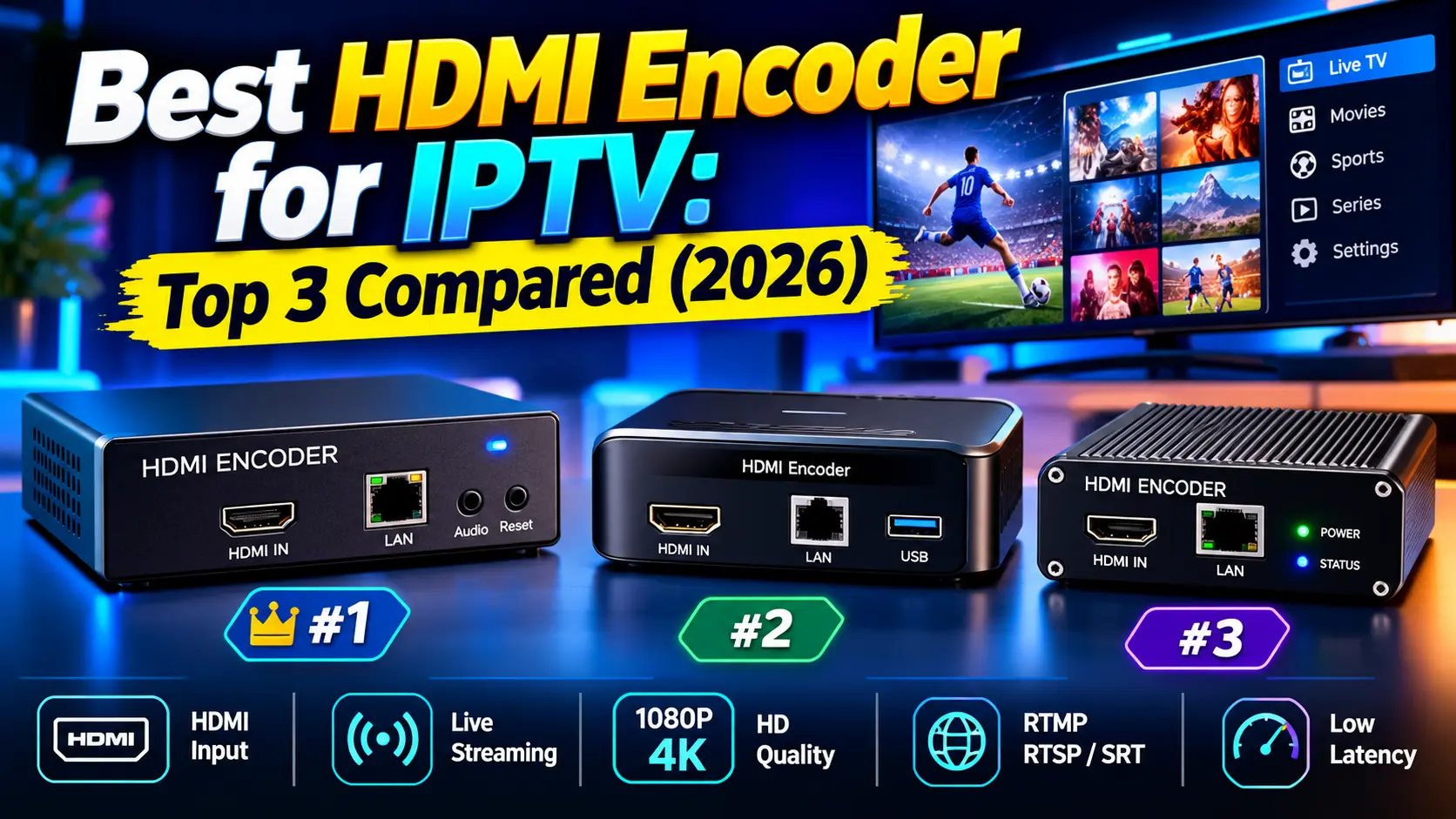

Choosing an HDMI encoder for IPTV comes down to one question: how many screens, and how many sources, do you need to serve? A single set-top box streamed to a few office TVs needs a very different box from an eight-channel hotel headend. We compared three HDMI IPTV encoders that cover the budget, professional and broadcast tiers, using the specifications and pricing each manufacturer publishes, so you can match the right HDMI to IPTV encoder to your project without guesswork.
Key takeaways (TL;DR)
- Best budget pick: J-Tech Digital JTECH-ENCH4 ($181.49). It accepts 4K60 input, outputs H.264/H.265 at 1080p60 and supports SRT, RTMP, HLS and UDP.
- Best for 24/7 distribution to TVs: ProVideoInstruments VeCASTER HD-H264 ($495). It’s fanless, has a built-in multicast/unicast server and a 5-year warranty.
- Best multi-channel headend: Thor Broadcast H-8HD-EMH. It encodes 8 HDMI inputs to MPTS/SPTS over IP plus ASI outputs, with pricing on request.
- Match the encoder to your channel count, codec (H.264 or HEVC) and delivery protocol before you look at price.
What Is an HDMI Encoder for IPTV?
An HDMI IPTV encoder takes the uncompressed video and audio from an HDMI source, such as a cable box, camera, media player or PC, compresses it, and sends it out as a network stream. TVs, set-top boxes and apps anywhere on your network (or the internet) can then play that stream. It’s the simplest way to convert HDMI to IPTV without running coaxial or long HDMI cables to every screen.
For a deeper explanation of codecs, protocols and encoder types beyond HDMI, read our complete guide to the IPTV encoder. If IP television itself is new to you, start with what IPTV is and how it works.
How we chose these encoders
Every spec, price and claim below comes from each manufacturer’s own product page, checked in September 2026. Where a page doesn’t state something, such as a warranty or a price, we say so rather than guess. We didn’t test the units hands-on, so treat this as a specification-based comparison.
Top 3 HDMI Encoders for IPTV Compared
| Spec | J-Tech JTECH-ENCH4 | PVI VeCASTER HD-H264 | Thor H-8HD-EMH |
|---|---|---|---|
| Best for | Budget, home lab, small venues | 24/7 commercial distribution | Multi-channel headends |
| HDMI inputs | 1 | 1 | 8 |
| Max input | 4K60 (4:4:4) | 1080p60 | 1080p60 |
| Max output | 1080p60 | 1080p60 | 1080p60 per channel |
| Codecs | H.264, H.265, MJPEG | H.264 | H.264 |
| Key protocols | SRT, RTMP/RTMPS, HLS, RTSP, UDP, TS | UDP, RTP, RTSP, RTMP, HLS, HTTP | UDP, RTP/RTSP (MPTS + 8 SPTS), ASI |
| Warranty | Not stated | 5 years | 2 years |
| Listed price | $181.49 | $495 (list $549) | Not listed |
1. J-Tech Digital JTECH-ENCH4: Best Budget HDMI Encoder for IPTV
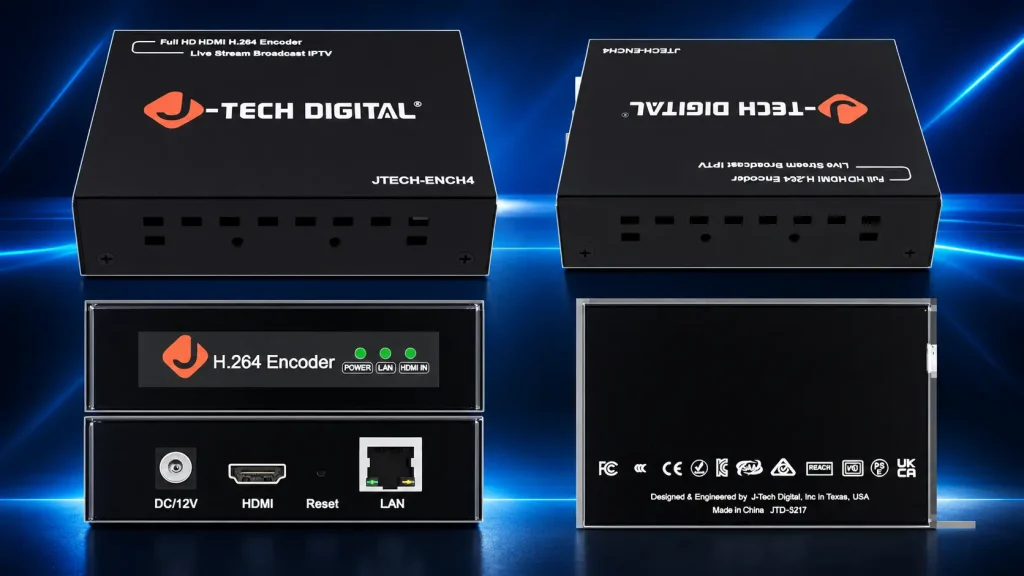
The J-Tech Digital JTECH-ENCH4 (JTD-3217) is the most affordable way into HDMI IPTV on this list. It accepts up to 4K@60Hz (4:4:4) over HDMI and encodes a 1080p60 output in H.264 or HEVC, so it doubles as an H.264 HDMI IPTV encoder and an entry-level HEVC HDMI IPTV encoder.
Standout features
- 1 main stream plus 3 substreams at once: send a full-quality feed to your TVs and lighter versions to phones or a web platform at the same time.
- Broad protocol support: RTMP/RTMPS, HLS, FLV, TS, MP4, RTSP, UDP, SRT and TRTC, plus ONVIF.
- Wide bitrate range: 32 Kbps to 32 Mbps, CBR or VBR.
- Built-in OSD: add text or logos to the stream, with flip, rotate, crop, contrast and brightness controls.
- Web GUI: remote management over WAN.
Pricing
J-Tech lists the JTECH-ENCH4 at $181.49 on its official store.
Pros
- Lowest price of the three by a wide margin.
- Accepts a 4K source and supports both H.264 and H.265.
- SRT and RTMP make it just as useful for internet streaming as for LAN distribution.
Cons
- Output tops out at 1080p60. It isn’t a true 4K HDMI IPTV encoder for 4K delivery.
- 100 Mbps network interface, and the product page doesn’t state a warranty period.
- No PoE on this model. J-Tech sells PoE as a separate model (JTD-3219).
2. ProVideoInstruments VeCASTER HD-H264: Best for 24/7 Distribution to TVs
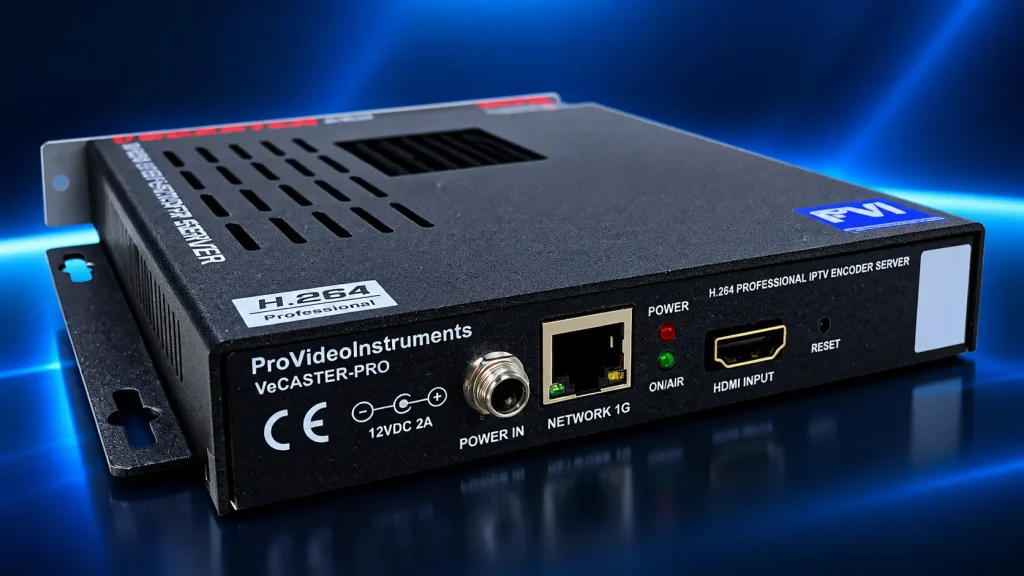
The PVI VeCASTER HD-H264 is a professional HDMI IPTV encoder built for always-on commercial installs. Its headline feature is a built-in multicast and unicast server that ProVideoInstruments says can stream “directly to hundreds of simultaneous” players, including smart TVs and IP set-top boxes, without a separate streaming server.
Standout features
- Ultra-low latency: PVI’s spec sheet lists under 50 ms from HDMI input to IP output in UDP mode. Its product copy quotes under 200 ms for UDP multicast streaming.
- Two independent encoded streams from the same HDMI input, each at 64 Kbps–15 Mbps VBR.
- Graphics overlays: up to five logos or texts per stream for station logos, watermarks or QR codes.
- Protocols: M3U8/HLS, RTMP, RTP, RTSP, HTTP, UDP and ONVIF, with direct push to YouTube, Facebook, Wowza and Akamai.
- Built for 24/7 use: fanless, noiseless chassis, 10 W max power draw, and a stated 55,000-hour MTBF.
- Rack-friendly: up to 15 units fit in 4RU with PVI’s optional rack bars.
Pricing
PVI lists the VeCASTER HD-H264 at $495 (list price $549). The rack mount bars kit is $149 and a 1RU rack plate for one or two units is $99.
Pros
- 5-year warranty, the longest of the three.
- Built-in server removes the need for extra streaming hardware on a LAN.
- Broadcast-style audio options: AC-3, MPEG-1 Layer II, AAC and MP3.
Cons
- H.264 only and 1080p maximum. PVI sells separate VeCASTER HEVC and 4K models if you need those.
- SRT isn’t listed among its protocols, so internet contribution is less robust than with the J-Tech.
- Costs more than twice as much as the budget option.
3. Thor Broadcast H-8HD-EMH: Best 8-Channel HDMI IPTV Encoder
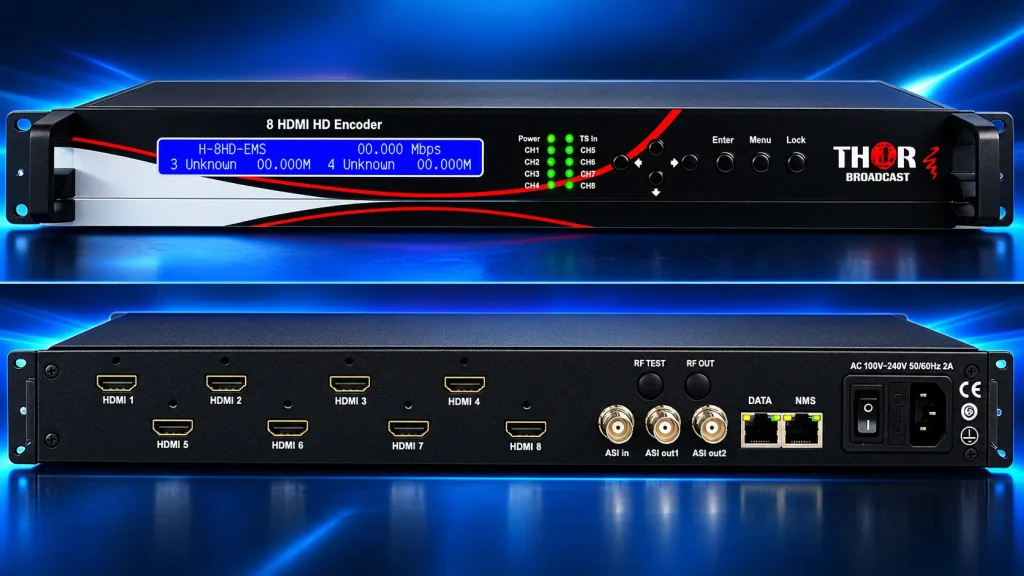
The Thor Broadcast H-8HD-EMH is the professional 8 channel HDMI IPTV encoder in this roundup. It’s designed for headends that need to turn eight HDMI sources, such as satellite receivers or cable boxes, into a channel lineup for hotels, hospitals, campuses or MATV systems.
Standout features
- 8 HDMI inputs: each encoded in MPEG-4 AVC/H.264 at up to 1080p60, at 0.8–19 Mbps CBR or VBR.
- MPTS and SPTS output: one multi-program transport stream plus eight single-program streams over UDP and RTP/RTSP.
- ASI I/O: two multiplexed ASI outputs and one ASI input for adding extra programmes, useful for feeding RF modulators.
- Closed captions: CC support is called out in the product name.
- Two ways to manage it: a web browser interface and a full front-panel LCD.
- Video processing: input deinterlacing, noise reduction and sharpening.
Pricing
Thor doesn’t list a price on its product page. Contact Thor Broadcast or an authorised reseller for a quote.
Pros
- Eight channels in one chassis (480 × 455 × 45 mm) gives a far lower cost per channel than eight single encoders.
- MPTS/SPTS and ASI output slot straight into professional IPTV and RF headends.
- Front-panel control is handy in equipment rooms without a laptop.
Cons
- H.264 only. There’s no HEVC, and HLS, RTMP and SRT aren’t listed.
- No public pricing, and a shorter 2-year warranty.
- 100 Mbps RJ45 IP output and 3.25 kg weight: this is a headend unit, not a portable one.
Which HDMI IPTV Encoder Should You Buy?
- Choose the J-Tech JTECH-ENCH4 if you need one channel on a budget, want HEVC or SRT, or are streaming to online platforms as well as local screens.
- Choose the PVI VeCASTER HD-H264 if you’re sending one HDMI source to many smart TVs and set-top boxes on a LAN, 24/7, and value a long warranty and a built-in server.
- Choose the Thor H-8HD-EMH if you’re building a hotel, hospital or campus headend and need four or more channels, MPTS output or ASI integration.
If you’re planning a larger commercial service around one of these units, our guide on how to start an IPTV business covers the headend, licensing and delivery side.
How to Convert HDMI to IPTV: The Basic Setup
Whichever model you choose, the workflow to convert HDMI to IPTV is the same:
- Connect the source: run HDMI from your source device into the encoder, and Ethernet from the encoder into your network switch.
- Open the web interface: find the encoder’s IP address and log in from a browser.
- Set the codec and bitrate: H.264 for maximum compatibility, or HEVC where your players support it and bandwidth is tight.
- Choose the output: UDP multicast for TVs on a local network, SRT or RTMP for the internet, or HLS for browsers and phones.
- Test the stream: open the stream URL on a PC first. Our guide to setting up IPTV on VLC shows how to play a network stream.
- Add receivers: point smart TV apps or IPTV boxes at the stream address or multicast group.
For multicast, use managed switches with IGMP snooping so streams don’t flood the whole network. On smaller setups, a solid router for smooth IPTV streaming goes a long way.
Codec choice: H.264 or HEVC?
When the ITU approved H.265 in 2013, it said the new standard would “need only half the bit rate of its predecessor”. In practice, an HEVC HDMI IPTV encoder saves bandwidth when you run many channels or stream over the internet, while H.264 remains the safer choice for older TVs and set-top boxes. If viewers are on changing internet connections, also read up on adaptive bitrate streaming.
A note on HDCP and rights
None of the three product pages says anything about HDCP. Many commercial sources, such as pay-TV boxes and Blu-ray players, use HDCP copy protection, and most encoders will not stream those signals. More importantly, re-broadcasting pay-TV channels usually requires a commercial licence from the broadcaster, which our guide to launching an IPTV business covers in more detail. Use these encoders for content you own or are licensed to distribute, and see is IPTV legal? for more. (This is general information, not legal advice.)
Frequently Asked Questions
-
Which encoder is best for streaming?
It depends on the job. For one HDMI source on a budget with internet streaming, the J-Tech JTECH-ENCH4 offers SRT, RTMP and HEVC for $181.49. For 24/7 local distribution to many TVs, the PVI VeCASTER HD-H264 is better suited, and for eight channels, the Thor H-8HD-EMH.
-
What is the best IP streaming encoder?
The best IP streaming encoder is the one that matches your inputs, channel count and delivery protocol. Among HDMI models, choose SRT and HEVC support for internet delivery, a built-in multicast server for LAN distribution, or multi-channel MPTS output for headends. Our IPTV encoder guide explains each factor.
-
What is an HDMI encoder?
An HDMI encoder is a device that captures video and audio from an HDMI source, compresses it with a codec such as H.264 or HEVC, and outputs it as an IP stream over Ethernet. That lets one source feed many screens or online viewers over a network instead of HDMI cables.
-
Which video encoder has the best quality?
Quality depends mainly on codec, bitrate and resolution. HEVC delivers similar quality at roughly half the bitrate of H.264, so at the same bitrate it usually looks better. Among these three, only the J-Tech offers HEVC, while the PVI and Thor units focus on H.264 with broadcast-grade processing and higher reliability ratings.
Final Verdict: The Best HDMI Encoder for IPTV
There’s no single best HDMI encoder for IPTV, but there is a clear pick for each job. The J-Tech JTECH-ENCH4 is the value choice with HEVC and SRT. The PVI VeCASTER HD-H264 is the dependable 24/7 option for feeding many TVs on a LAN. The Thor H-8HD-EMH is the multi-channel workhorse for professional headends. Count your sources, decide where your viewers are, and pick the encoder that fits. Then revisit our IPTV basics and licensing guide before you go live.